Andrew
Ciervo
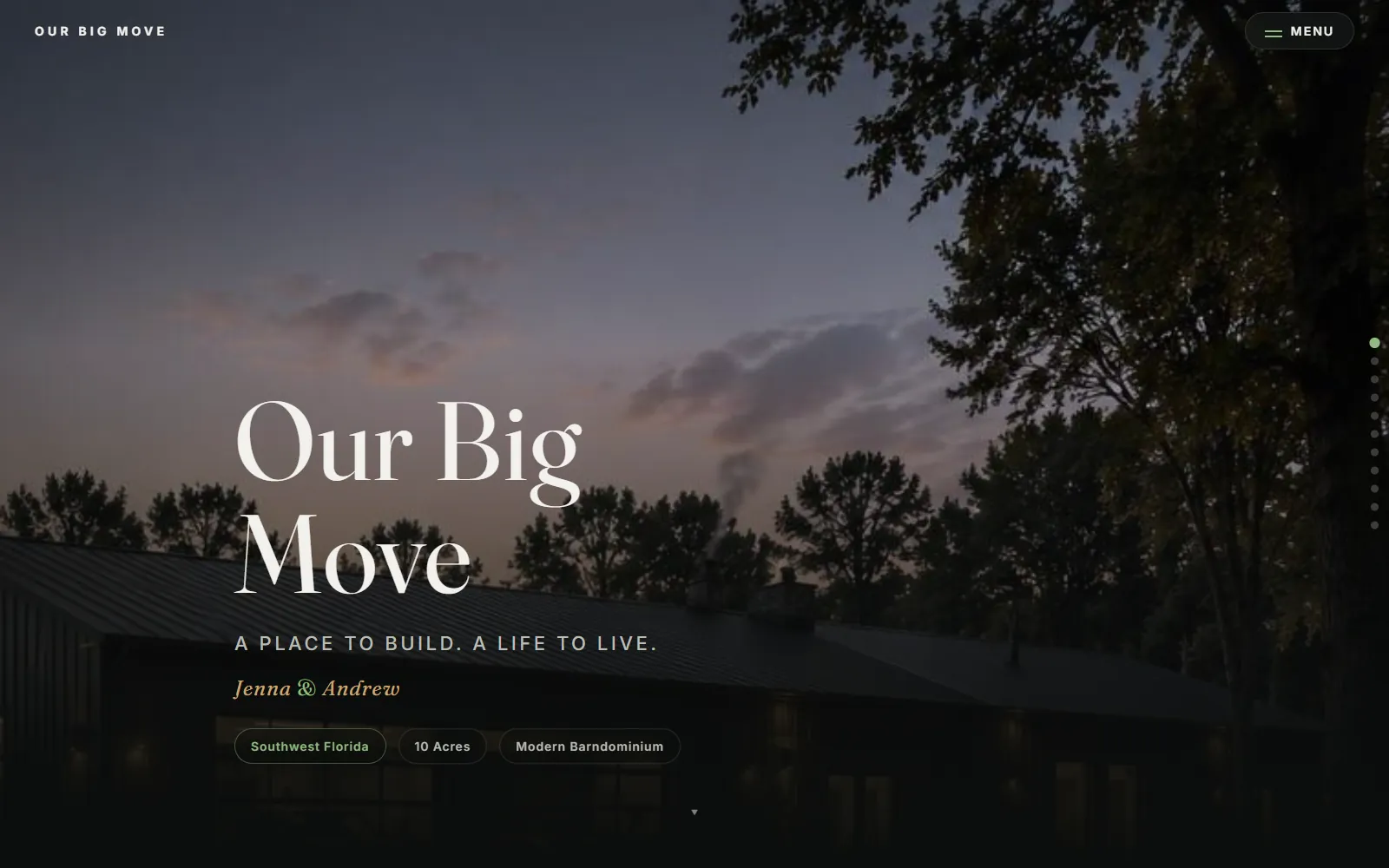
Electronics tech turned builder. I make the systems I actually want to live with — a house that tells me who just pulled into the driveway, a car app that clears fog off the map as I drive, and a photo pipeline my coworkers use every other Sunday. This page shows what they look like, how they work, and what broke along the way.
Everything, at a glance
Click any card to jump to its write-up. The colored tag says where it lives: public (open it right now), private (runs for me or a few people), or playable (try it on this page).
 Private · daily use
 Public beta
 Public · in use
 Public
 Private · retired
 Private · in development
 Private
 Playable
 Playable
 Public · client
 Public · concept
 Public
 Private
00 00 00 00 6D 64 61 74
size = 0  → never finalized
patch → moov_start − 32
HEVC → H.264 ✓ playsOne-offA house that knows who just pulled in
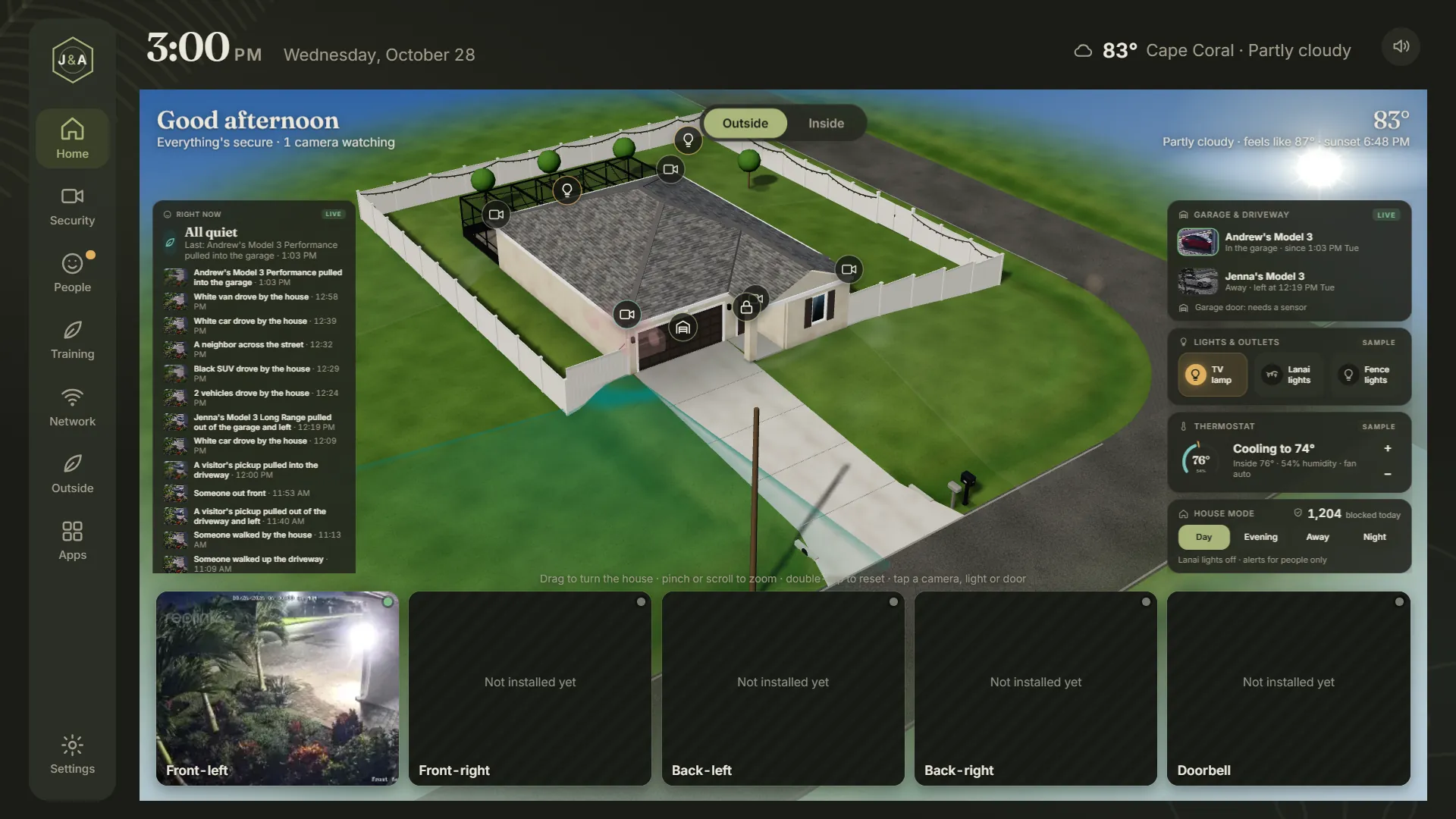
Jenna and I are moving into a new house in Cape Coral. The ISP's router does the bare minimum and every smart camera wants a subscription. So I built our own system on the Raspberry Pi already sitting on my desk — budget: $0.
It watches the cameras, works out what's actually happening ("Jenna's Model 3 just pulled into the garage", "FedEx delivery at the front door"), says it out loud in a natural voice, and shows it all on a 3D model of the house on our TV. It's also the start of the firewall and VPN for the whole house.
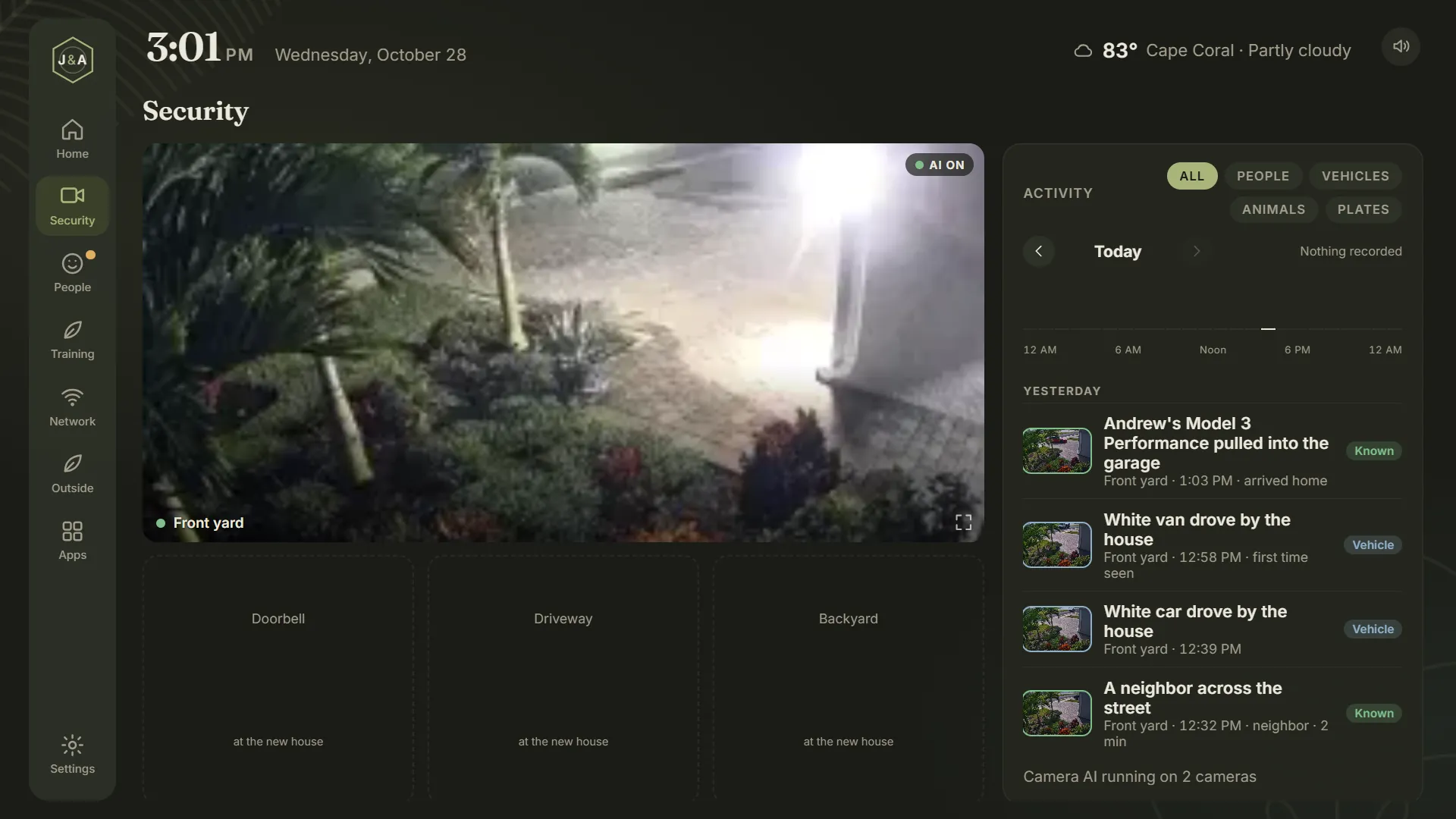
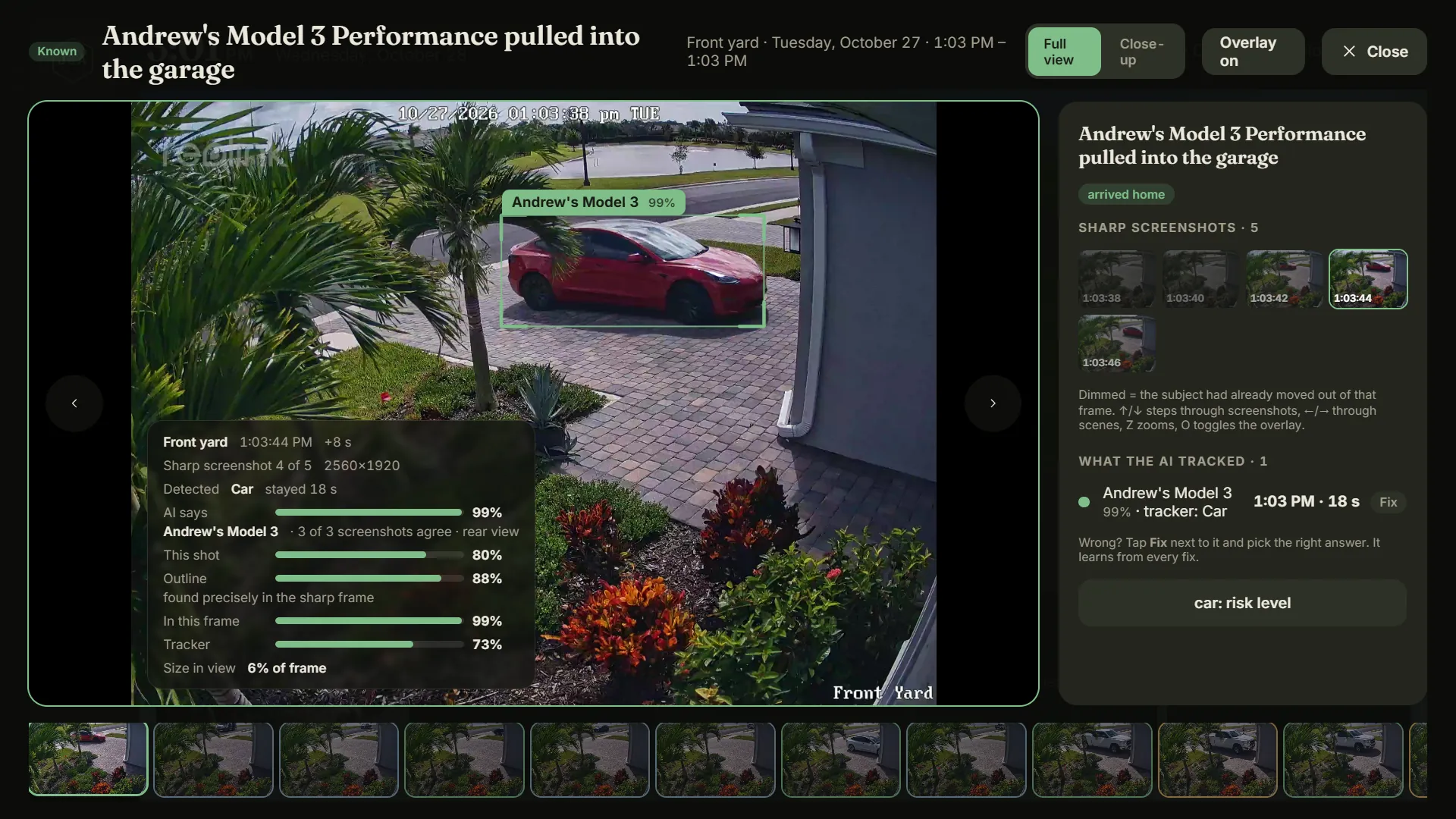
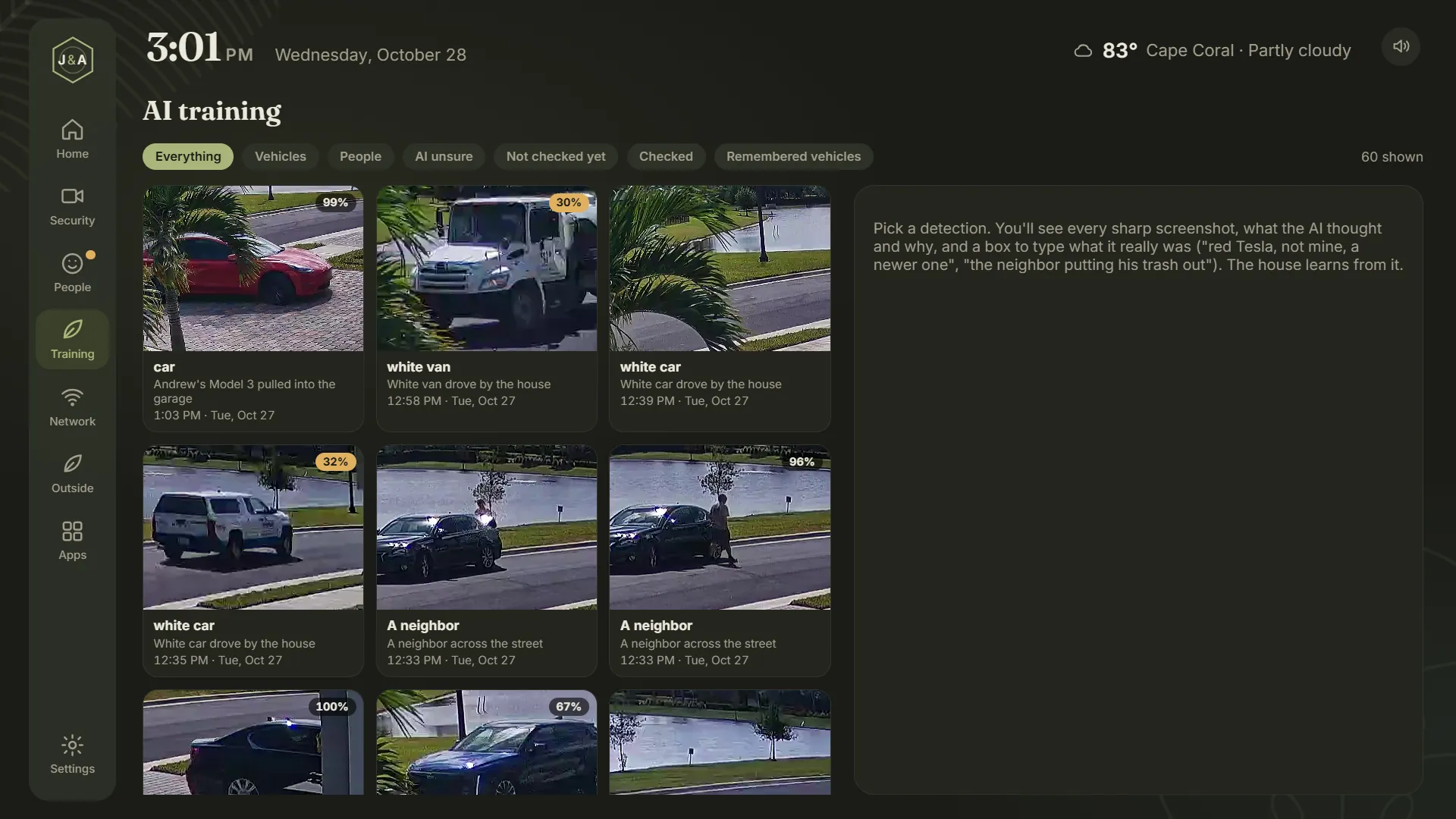
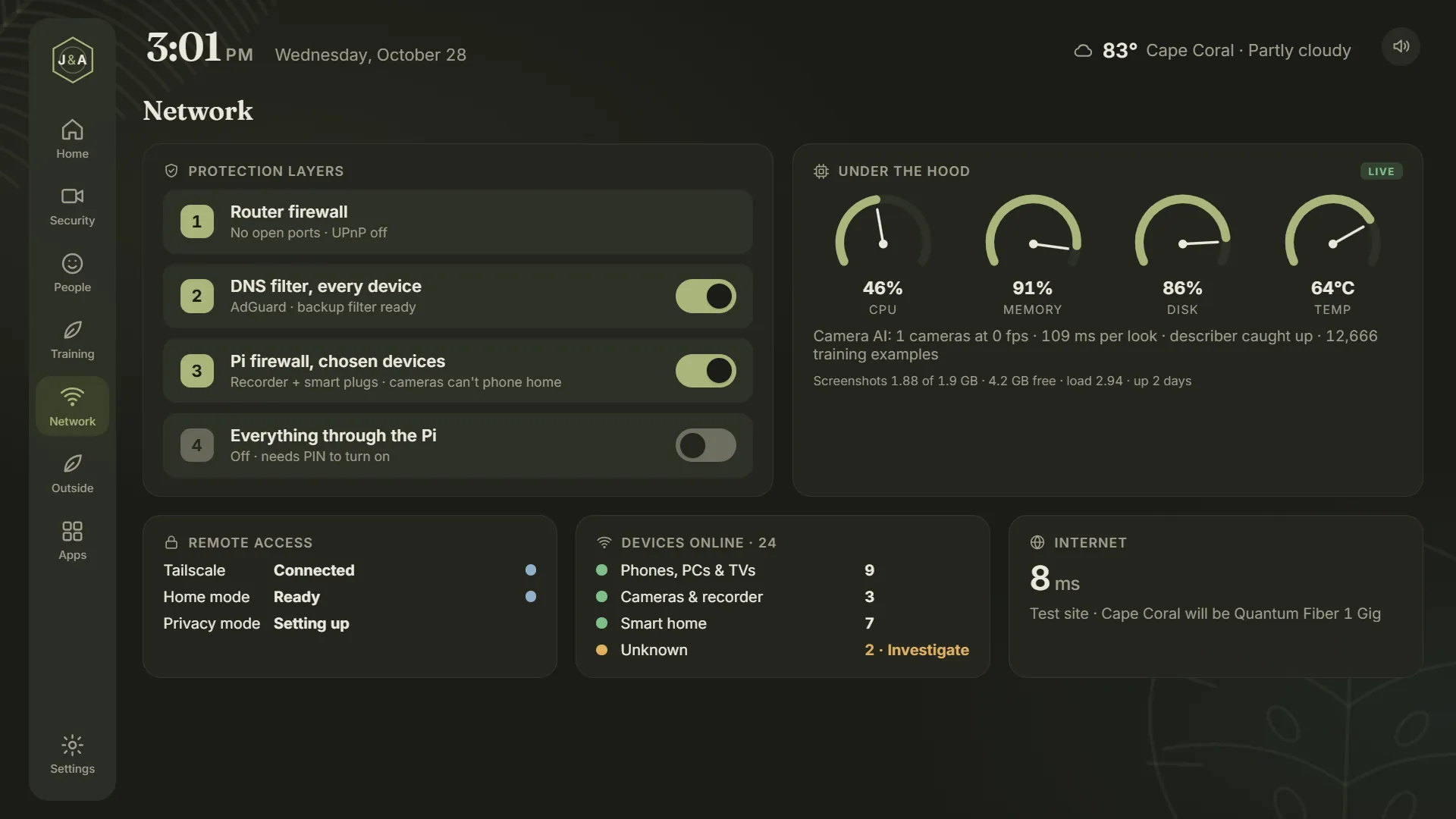
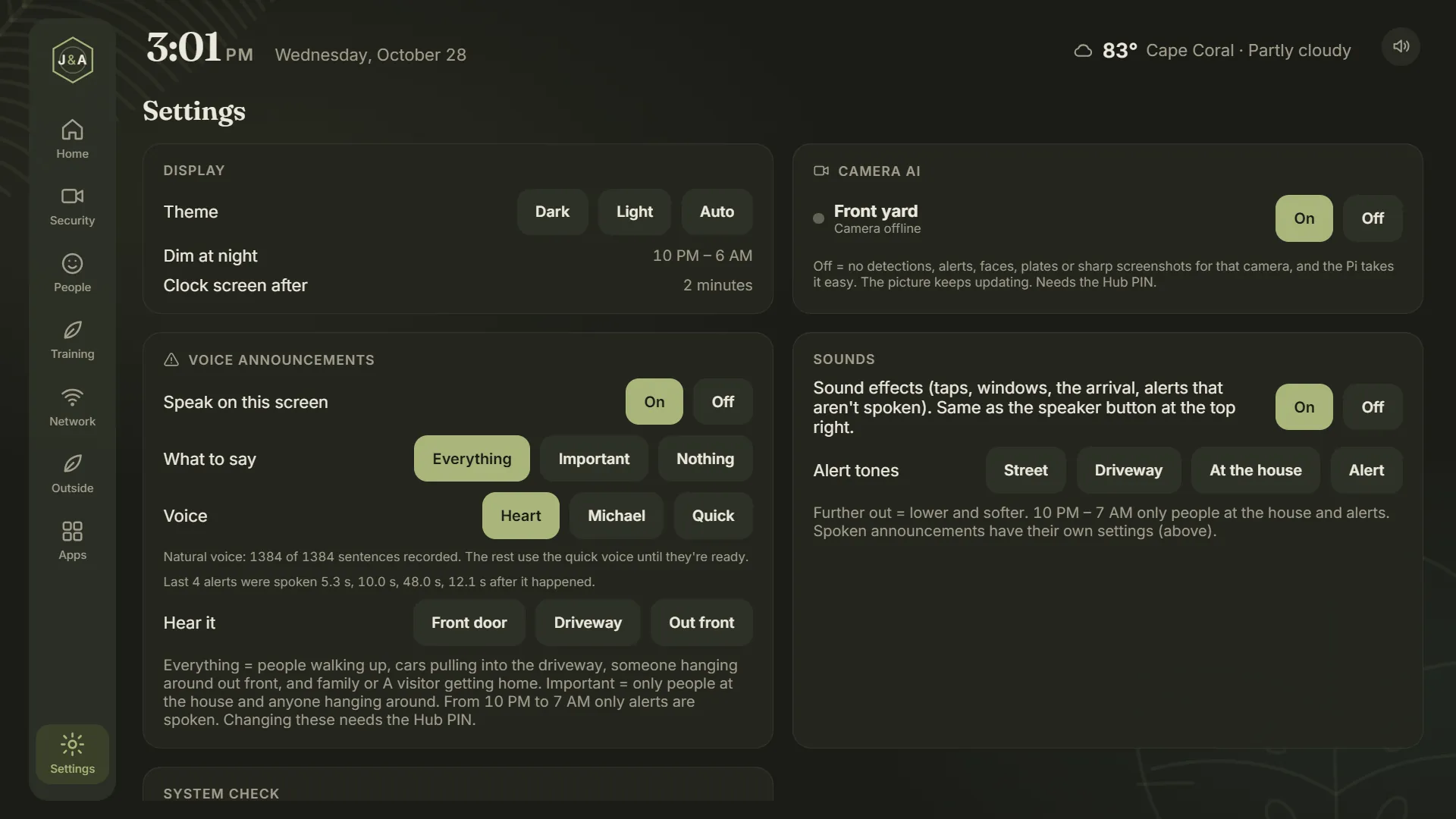
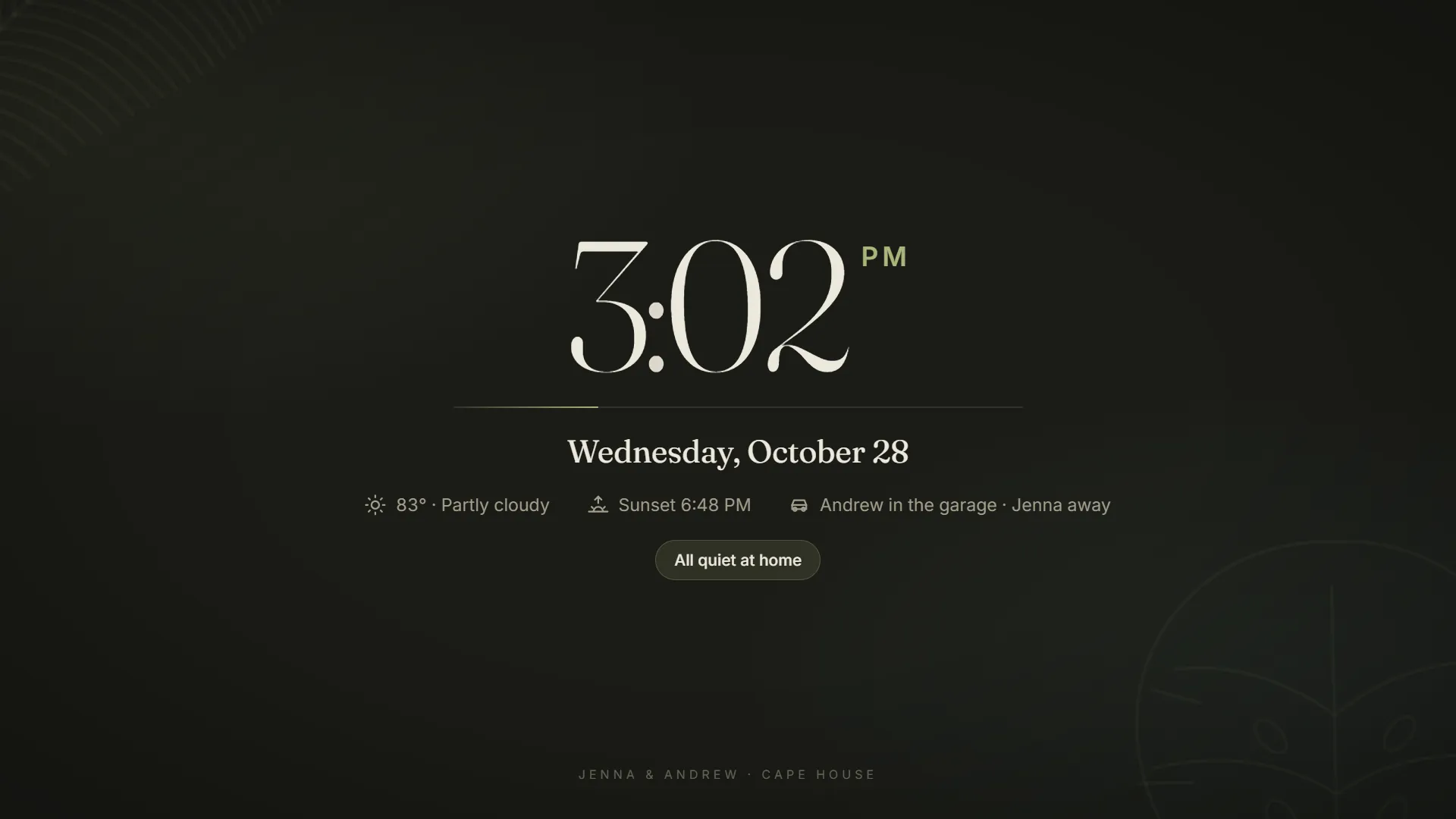
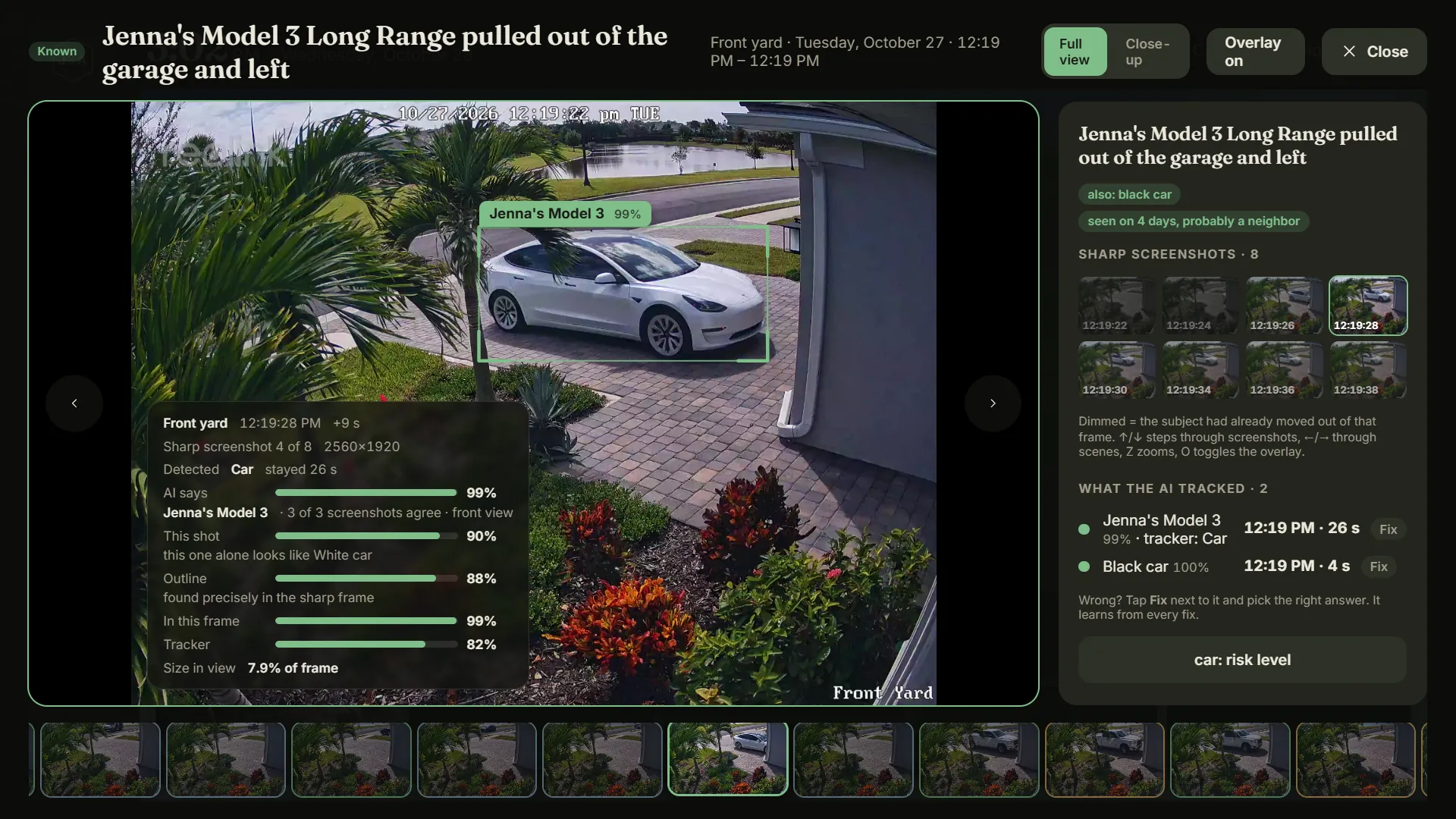
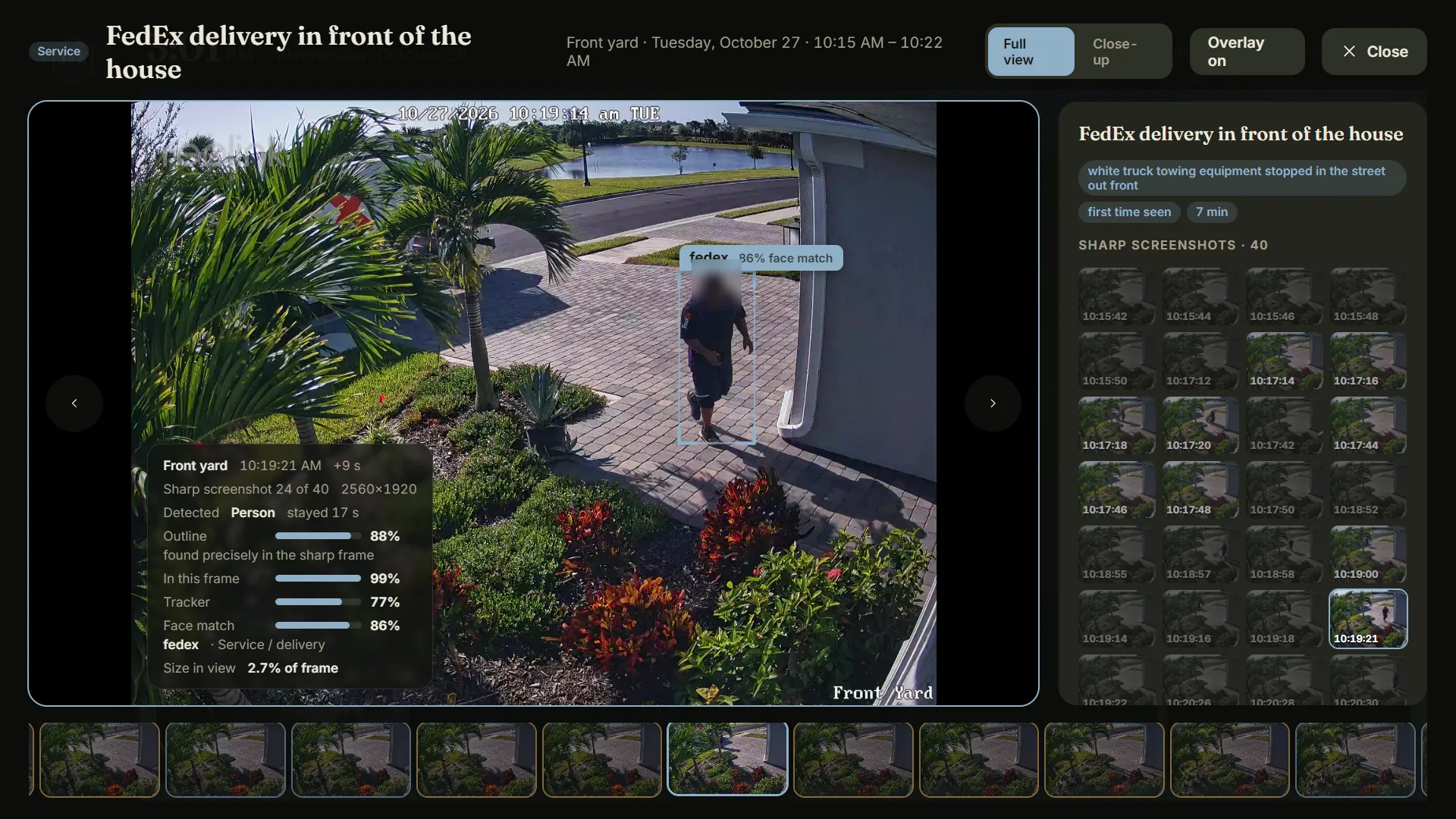
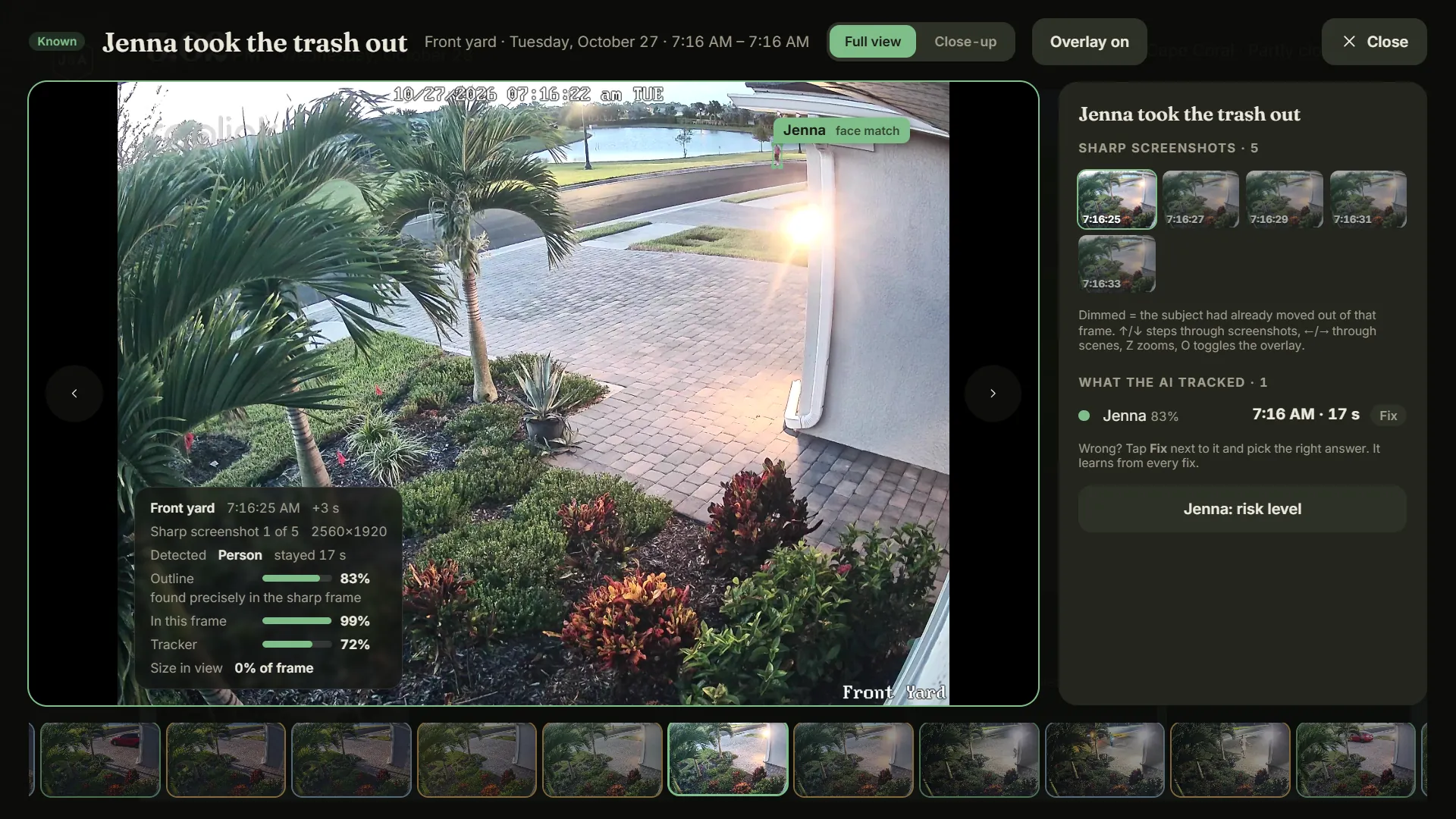
What the cameras saw
Real scenes from the test camera, as the Hub shows them. The AI draws its own outline on the sharp screenshot, with how sure it is. (A delivery driver's face is blurred here; visitors' names are swapped for generic words.)
From tire to voice, in about four seconds
Press play to walk through what happens when a car pulls in. Each stage is a real piece of the system, with the timings I measured on the Pi.
Typical timings, stage by stage. Night, glare and palm fronds in the way make it slower; when the AI isn't sure yet, the screen says “Checking what drove by…” and stays quiet instead of guessing out loud.
What's inside the Pi
Everything runs in Docker on a 4 GB Raspberry Pi Compute Module 5. Dashed red boxes are services that have no login, so they never get a port on the network. The moving lines are data.
Locks on the doors
The part most people never ask about. A camera system is a set of eyes on your family — so the defaults are “closed” and every write needs a reason.
Frigate's API (:5000) and the go2rtc restream (:1984) have no authentication, so they're never published. nginx proxies only the specific read-only paths the Hub needs: snapshots, events, stats and the live socket.
nginx answers only localhost and Docker, the house subnet (set per install — nothing depends on today's Wi-Fi or IPs) and Tailscale's 100.64.0.0/10. Everyone else gets nothing.
Reads are open inside the house; writes are not. Every POST — labeling a face, turning a camera's AI off, teaching it a car — needs an X-Hub-PIN header checked on the Pi. The PIN lives in a 600-permission secrets file, never in the page.
Phones reach home over Tailscale (WireGuard). Zero port forwards. The Pi also advertises an exit node, so a laptop on hotel Wi-Fi can send everything home first.
The Pi logs in to the recorder with a view-only guest account. It can watch; it can't change a setting or delete a recording. RTMP stays off.
SSH by key only (passwords off), rpcbind masked, unattended security upgrades, and every container capped so the AI can't starve the TV or the voice.
Any firewall or network change ships with a timer that rolls it back unless I confirm SSH still works. Every system file is copied to file.bak-YYYYMMDD before it's touched.
It was built on a test network and moves to the new house later, so nothing is hard-coded to a Wi-Fi name, subnet or IP. The camera zones get re-measured on site with a script.
Teaching it, one Saturday at a time
The describer started as a generic image model guessing from a few words. Each round I hand-checked every detection from the camera, and it learned from my labels. The test is leave-one-out over everything labeled so far, so later rounds are harder exams.
Show as a table
When it says it's sure, it's right 95% of the time.
That's the number that matters for a house that talks: 262 of 276 confident answers were right in the last round. When it isn't sure, it waits for another look instead of announcing a guess. Overall it went from 50% to 83% on a test eight times bigger.
- ~3,000 examples: my own labels (weighted ×3–4) plus Open Images crops for rare vehicles.
- Pooled looks: each detection combines every sharp screenshot it's in, counted as at most 3 independent looks.
- Tuned with a grid search over k, blend weight and class balance, using the same leave-one-out test.
Smooth on a Raspberry Pi
The Pi's GPU is the bottleneck, and I watch the TV closely. Every animation change gets measured on the real TV in frames per second before I call it done.
Live shadows cost 12–15 fps while turning. Now the shadow map is drawn only when the sun moves, into a 1024² top-down mask the ground reads. The sky is one still picture, redrawn every 5 minutes.
Background AI steals memory bandwidth from the GPU. Before any big animation the Hub calls /api/quiet, which freezes the voice recorder (SIGSTOP) and pauses the describer between frames.
Idle 3D redraws at 15 fps, 24 with labels up — the kiosk's idle CPU went from ~59% to ~37%. Lists update in place by key, so nothing re-animates or flickers on refresh.
What broke, and what I changed
The honest part. Every one of these happened on the live system, and each one turned into a rule.
- Unplugging one camera froze all of them.
The recorder's RTSP server hung for every channel while go2rtc kept retrying the dead one. Now a removed camera's streams are removed too.
- The “sharp” screenshots showed the street before the car got there.
I'd assumed 0.3 s of stream delay. Matching AI outlines to the live paths showed 3.6 s — two of those seconds were ffmpeg holding each keyframe until the next. Low-delay flags fixed it; the real figure is 1.6 s and every new camera gets measured.
- A 1 GB vision model killed the TV.
Testing Florence-2 pushed the Pi out of memory and the kernel shut down the TV's browser mid-use. Rule now: small models only — the text finder I ended up with is 4.7 MB.
- The AI learned the parking spot instead of the car.
Color examples taught it that anything in my spot is black. Our own cars now train a separate color model, and when the pixels and the describer agree, they win (my car went from 14/73 to 73/73 “red”).
- “Andrew's car left” at 5 and 7 PM. It hadn't.
Frigate's box jumped from a car driving by onto my parked one. Jumping tracks are detected now, and a car found again where another one was parked is the same car.
- The TV woke up at 4K.
Turning the TV off and on doesn't unplug it, so the display tool never re-applied 1080p: everything half size, 11 fps. A small guard checks every 3 seconds and puts it back.
- An upgrade erased history it couldn't redo.
A model version bump cleared descriptions for 129 detections whose screenshots had already been trimmed. Restored from a database copy; now only detections that can be re-described are ever cleared.
Every road you drive clears the fog
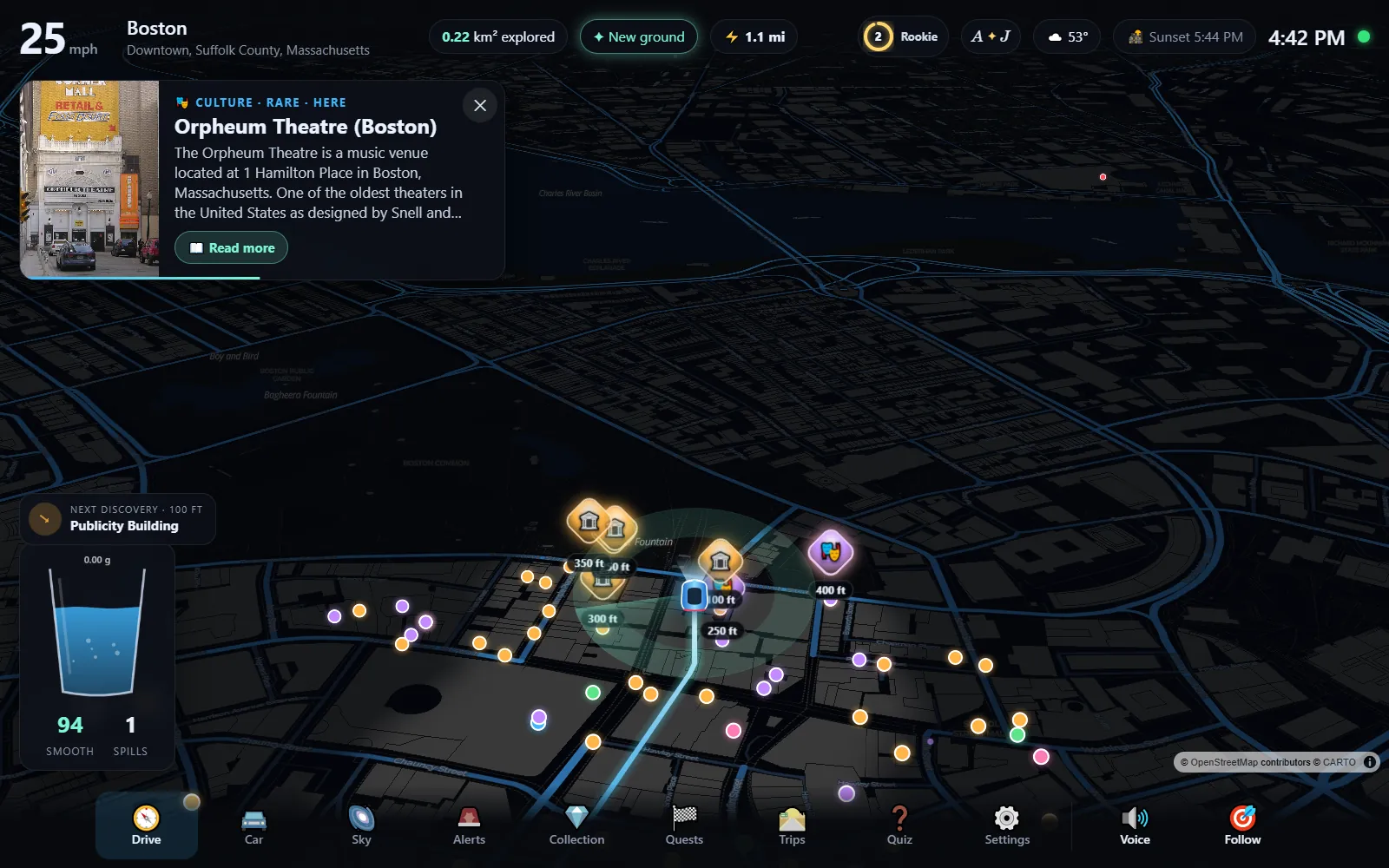
The map starts dark. Every road you drive reveals it for good, so your commute slowly becomes a map you uncovered. On the way it tells you about the places you pass, scores how smooth your driving is with a virtual glass of water, and flashes red-blue when Florida 511 reports police activity nearby.
Hard rule: it runs in a car's browser with no build step, no accounts, no API keys and no paid services.
A simulated drive through Boston, recorded from the live site. The places, photos and stories come from Wikipedia as you go.
Try the fog
A small version of the idea, running right here. Move your mouse or finger to drive — or leave it alone and it drives itself. It keeps track of the ground you've uncovered, like the real app's grid.
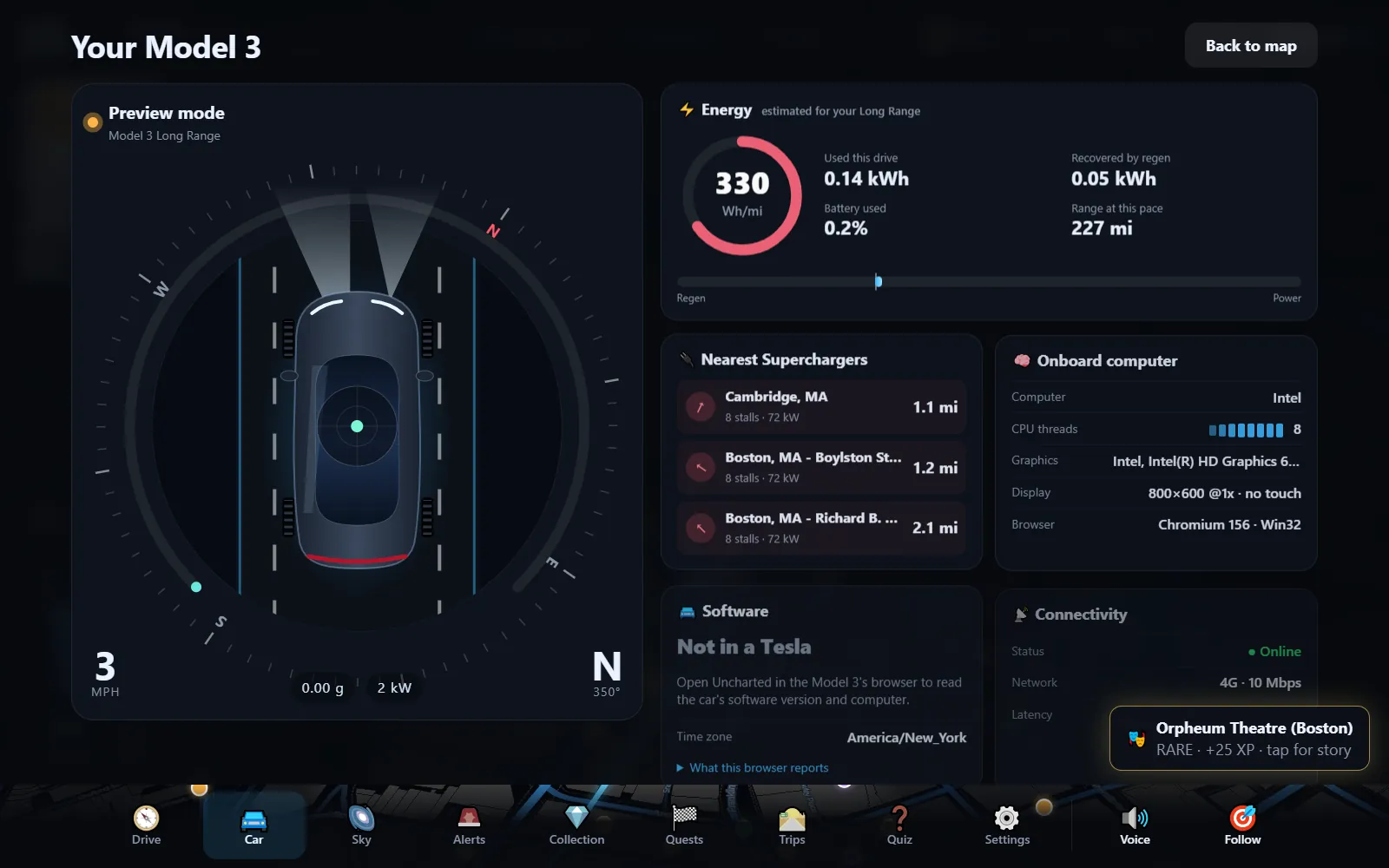
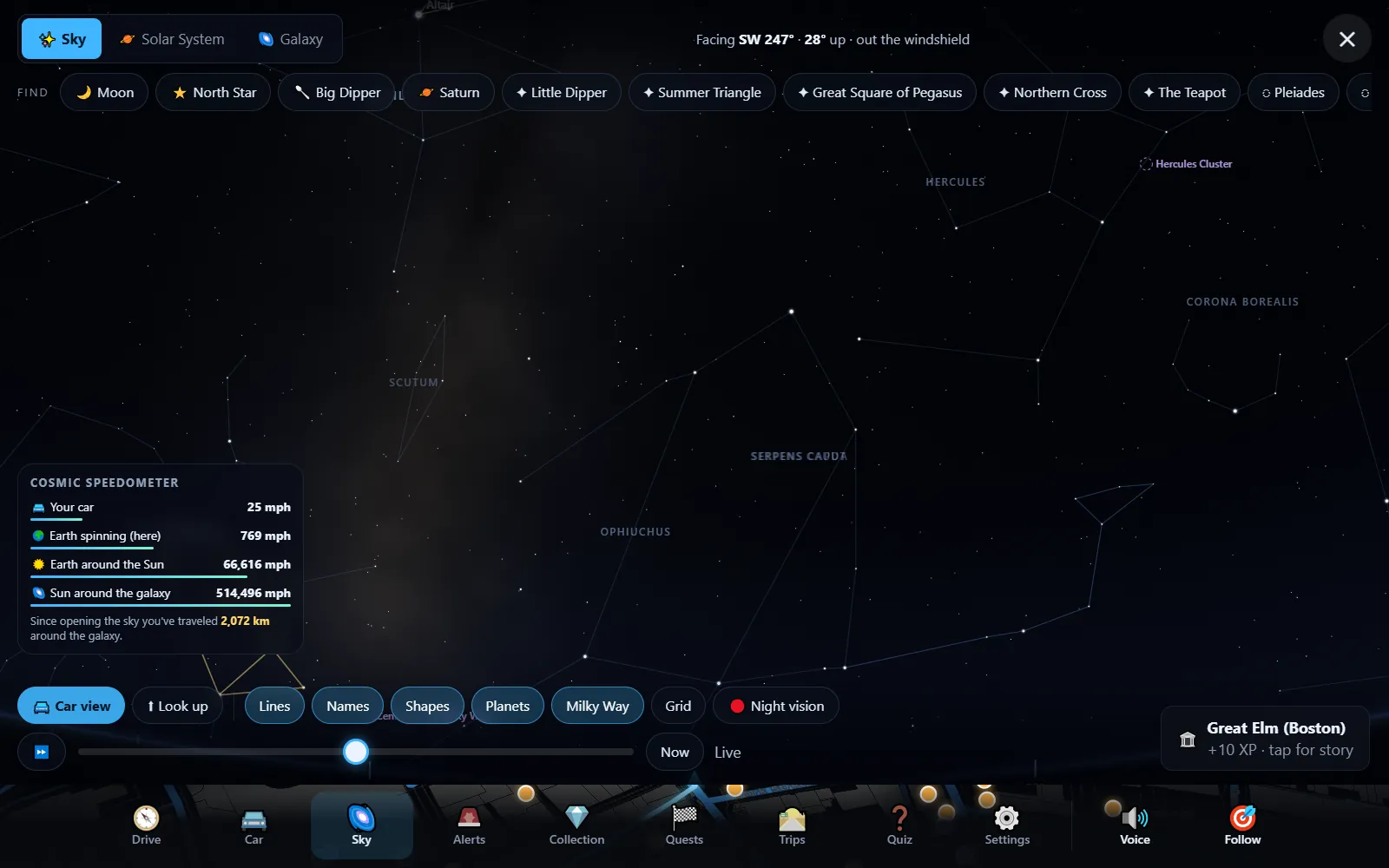
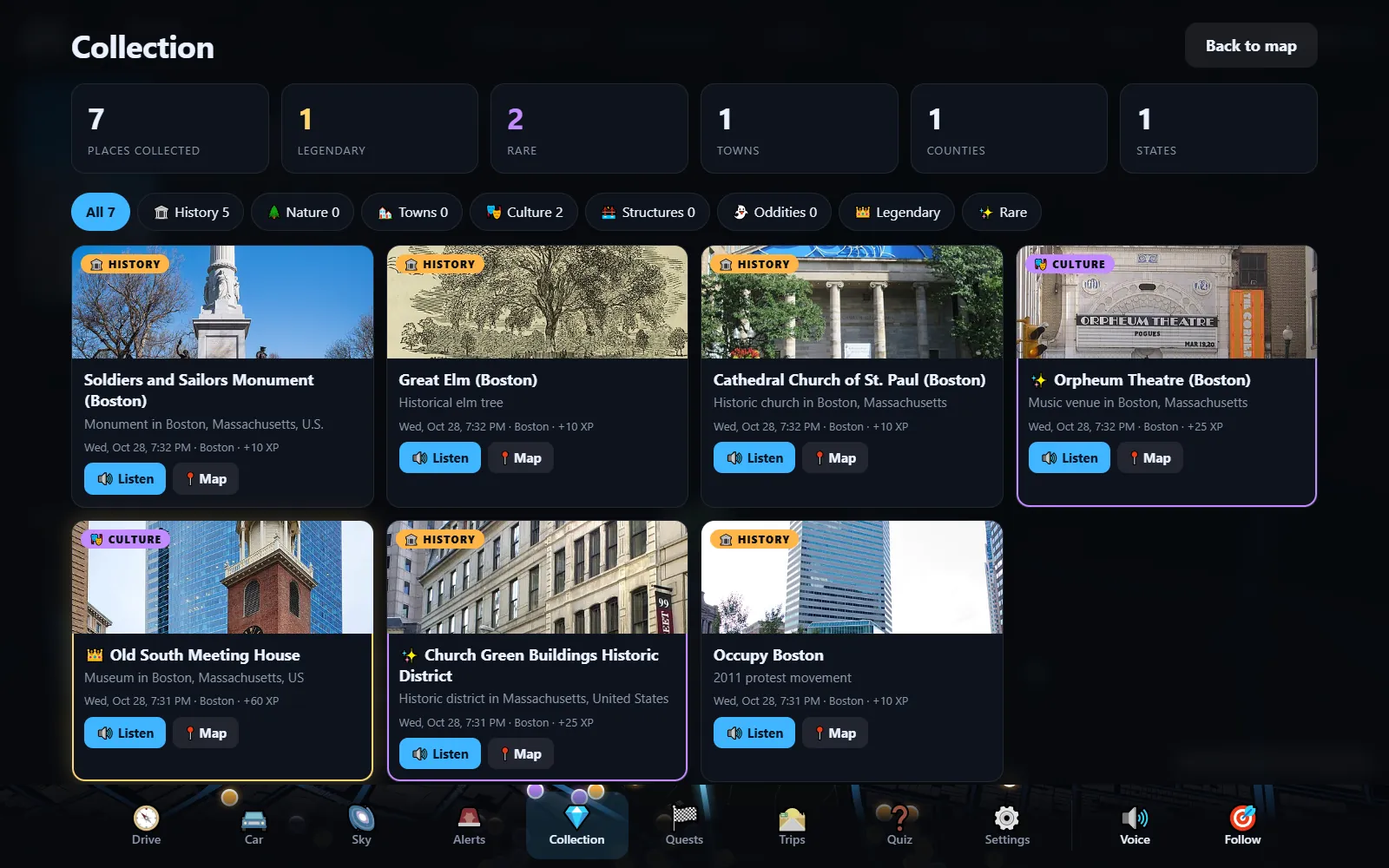
The first version projected each explored cell every frame — 100–800 ms per frame at 40,000 cells. Now it's a WebGL custom layer: one 1024² texture aligned to the map, re-uploaded only when new ground is revealed (profiled at 0.45 ms). Pan, zoom and tilt cost nothing.
Linux Chromium in the car often has no speech voices at all. So it ships a neural voice (Piper) that runs in a background worker, entirely in the browser — a one-time 63 MB download, then it reads stories offline.
Map tiles from CARTO/OpenStreetMap, places from Wikipedia, weather from Open-Meteo, cameras from Overpass, incidents from FDOT's FL511 feed, alerts from the National Weather Service. No keys to leak, nothing to pay. 80 browser tests run against the live site.
It reads the map, plans the drive, and delivers the photos
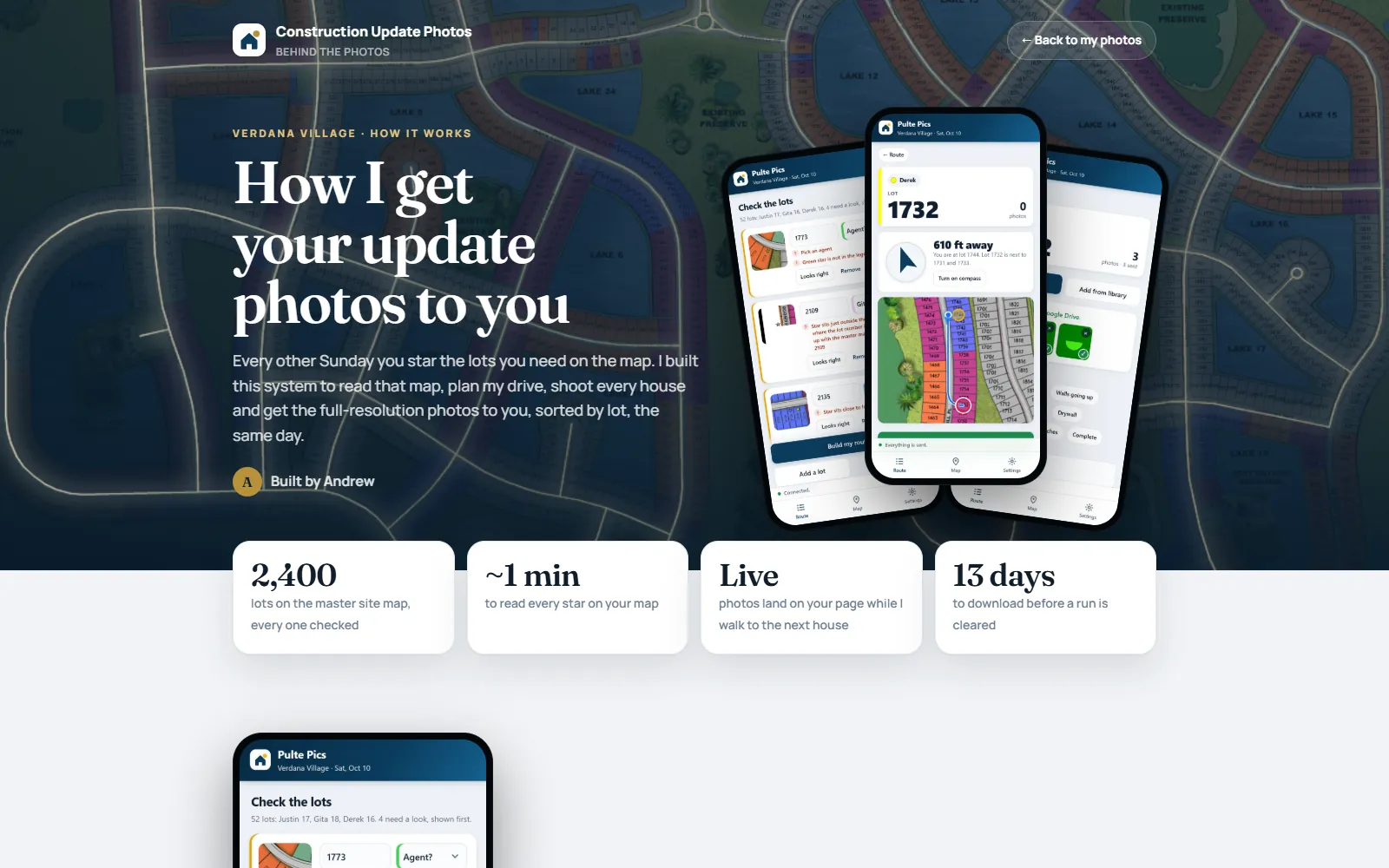
Every other Sunday I photograph new-construction lots in a community in Estero so three sales agents can send each buyer a progress update on their home. The agents mark the lots on a PDF map with colored stars. It used to be a morning of squinting at the map, driving in circles and sorting photos by hand.
Now my phone reads their stars straight out of the PDF, plans a route that goes around the lakes, walks me lot to lot, and the photos land in each agent's page in full resolution before I'm back in the truck. Running cost: $0.
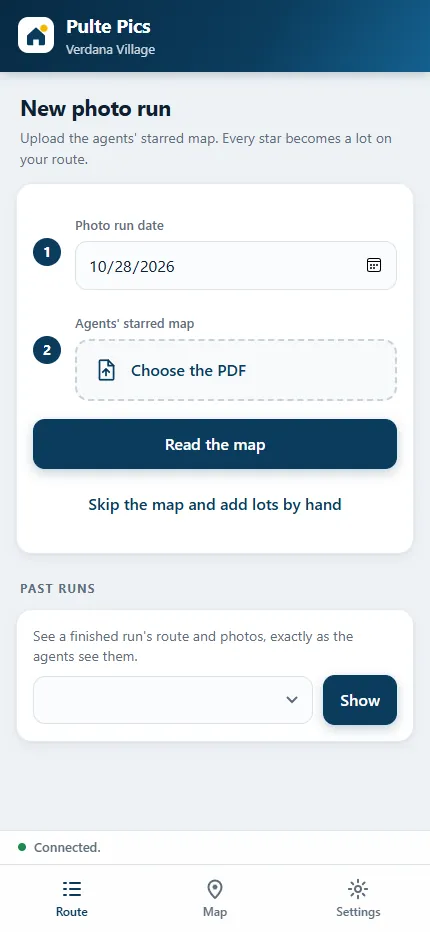
Plan a run
A live, simplified version of the route planner: stars land on lots, then it visits them over the streets only — never across the lake. It's a real breadth-first search on a grid, same idea as the app's rasterized street map.
pdf.js pulls each star's position and color (the color is the agent) from the PDF's vector drawing — not from pixels — plus the legend names.
OpenCV template matching finds where each map screenshot sits on the master community map; each star gets the nearest lot label, checked against a lot index.
Compass, distance and mini-map to the next lot. Its own camera: lens choice, Night mode for interiors, rotation baked into the file so photos are always upright.
Google Apps Script in my own Google account files photos into Drive by date/agent/lot, emails the agents when the last lot lands, and deletes runs after 13 days.
A team passcode is checked by the Google script, not in the browser, and entered once per device. Each lot is its own link, so a buyer who gets a forwarded email can never see someone else's home. Stage notes are neutral — no completion dates promised. Retention outlives an agent's forwarding delay.
Real failures came from stale copies of the app on phones and an old deployed script. So the app force-updates from a version file, and the backend has a test harness that runs Code.gs against fake Drive, mail, cache and locks through two full photo runs before anything is published.
New wipers for a 1993 240SX
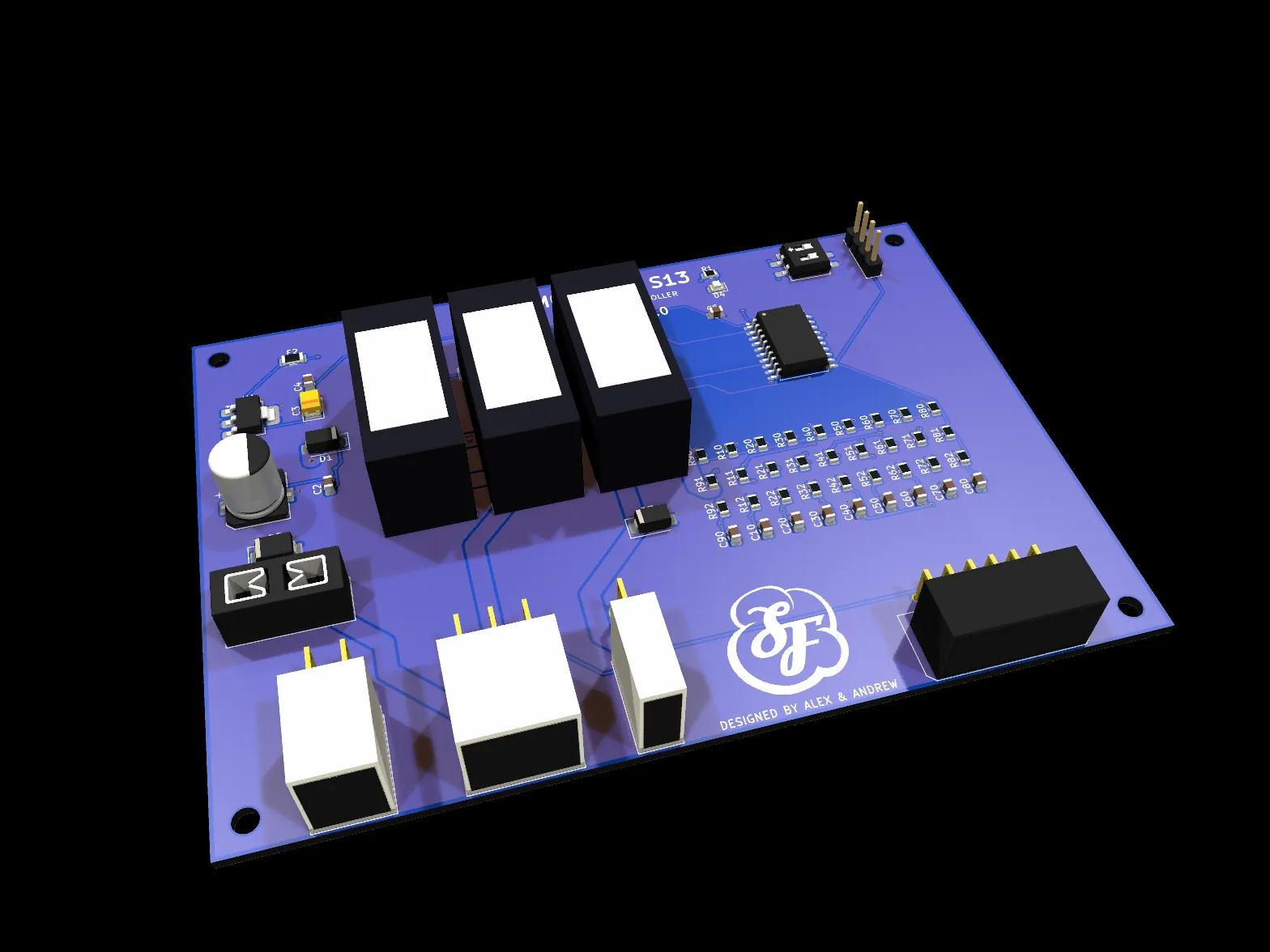
My friend Alex's 240SX needed its wiper and washer brain replaced. We designed a board that plugs into the factory stalk and the factory motor through a custom sub-harness — no wire in the car gets cut — and runs everything from one fused 12 V input. He measured on the bench; I did the schematic, layout, firmware and a test bench you can use in a browser.
The detail that decided everything
I read the scanned 1991–94 factory service manual page by page. The key finding: the wiper motor is switched on the ground side. The brushes run when they're grounded, and the auto-stop contact is grounded while sweeping and at +12 V when parked, which brakes the motor. Get that backwards and the whole output stage is wrong.
- Brain
- ATtiny1616, Arduino core, flashed over UPDI
- Inputs
- 8 universal ADC channels read contacts and the delay ring alike
- Modes
- Park, intermittent 2–12 s (tapered ring), LO, HI, wash + fast-fast-slow + drip wipe
- Safety
- 20 A fuse, TVS, reverse-polarity diode, park-fault timeout: 8 s with no auto-stop change → all off
- Loads
- Designed for 3–5 A running, 12–15 A stall (Alex's measurements)
- Checks
- Schematic generated by script, ERC/DRC clean, autorouted with Freerouting
The virtual test bench
It's built from the circuit board file itself — the netlist is solved in the browser and 18 design checks run on load, so mistakes show up before a board is ever ordered. Move the stalk, twist the ring, crank the engine.
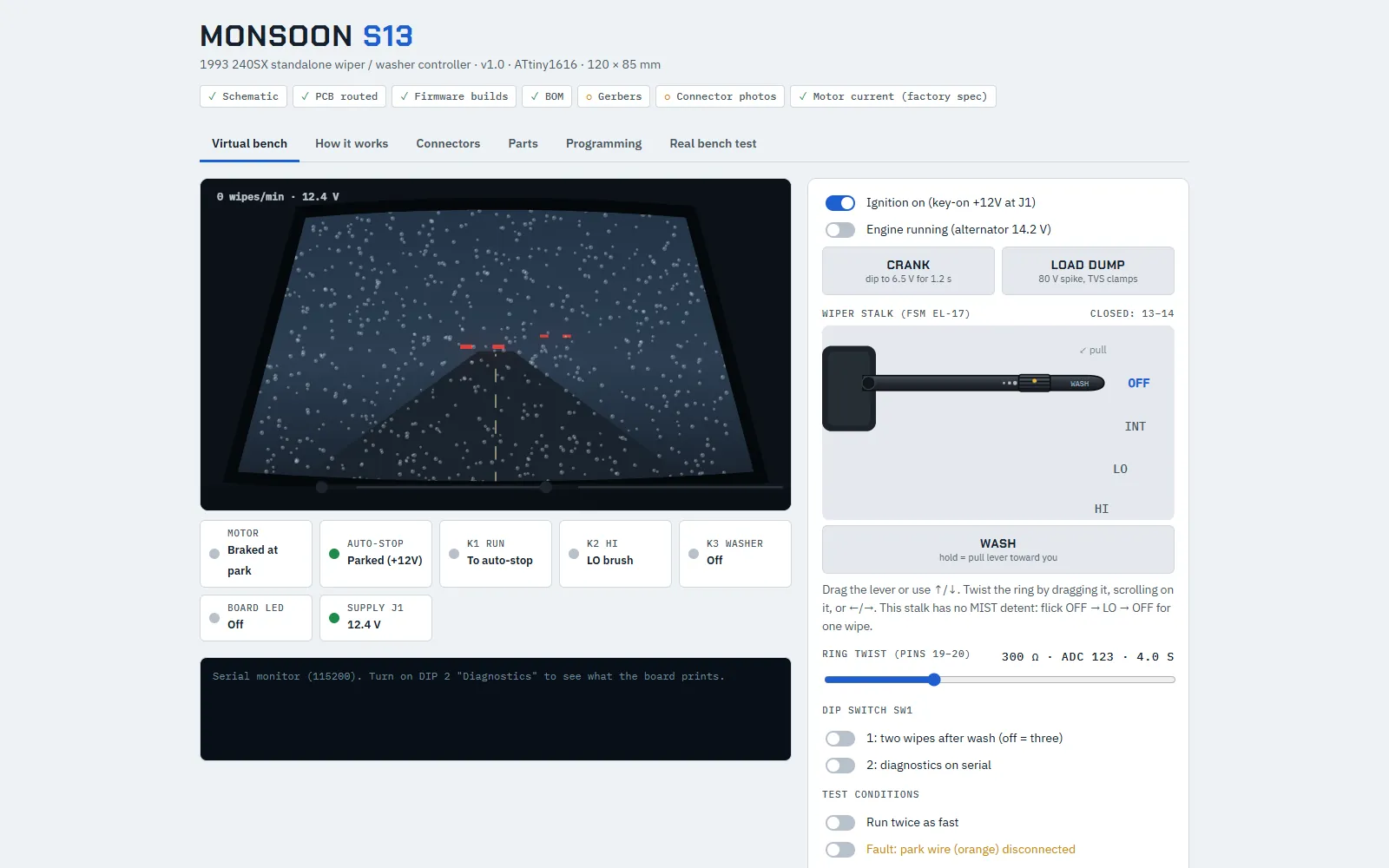 Open the test bench here
Six scanners, one rule: prove it first
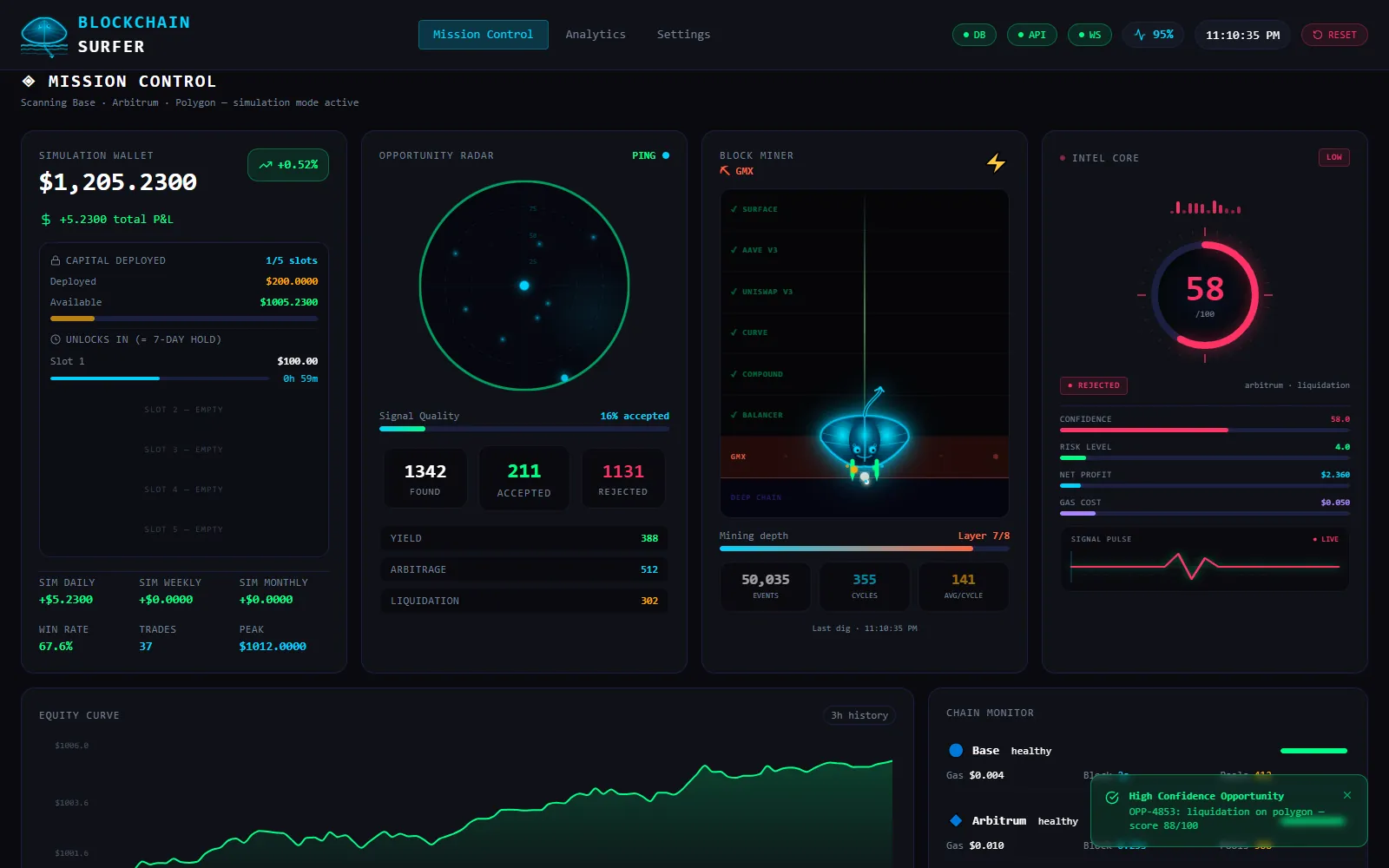
A 24/7 service on the same Raspberry Pi that watched public DeFi data on Base, Arbitrum and Polygon every 15 seconds, scored what it found from 0 to 100, and only acted when a rules engine and an on-chain dry run both agreed. I shut it down and moved the Pi to home duty in October 2026.
The interesting part isn't trading. It's building something that handles real money and has to refuse far more often than it acts.
Prices, yields, vaults, cross-DEX spreads, liquidation health factors, gas — six scanners concurrently every 15 s (FastAPI, asyncio, APScheduler).
0–100 from profitability, liquidity, confidence and competition, minus a volatility penalty. A small ML model ran in shadow mode first and earned weight only after 30, then 100 real outcomes.
Minimum confidence 80, profit ≥ 3× costs, max 10% exposure per trade, daily loss limit, a review mode after consecutive losses, gas-spike and liquidity guards.
Every transaction is simulated with eth_call first — a doomed one costs zero gas. The contract dry run is ground truth, not the scanner's math.
An atomic contract with one exit
I wrote and deployed a Solidity contract (Foundry, fork-tested 11/11) for flash-loan liquidations: borrow the debt from Aave, liquidate, swap the collateral, repay the loan plus 0.05%, keep the difference — all in one transaction. Every path ends in a single check: require(finalUSDC >= input + minProfit). If anything is off, the whole thing reverts. Worst case is the gas fee. The contract holds no funds at rest.
- “No opportunities” was a bug, not a quiet market.
A chain audit found 30 liquidations in 14 days; we'd caught 0. The scanner only looked back 2.3 days for borrowers. A resumable backfill to the beginning of the chain plus risk-tiered health checks fixed it.
docker compose restartdoesn't reload env vars.A safety feature sat switched off for hours because the container kept its old environment. Recreate, then verify inside the running process.
One system for a real-estate office
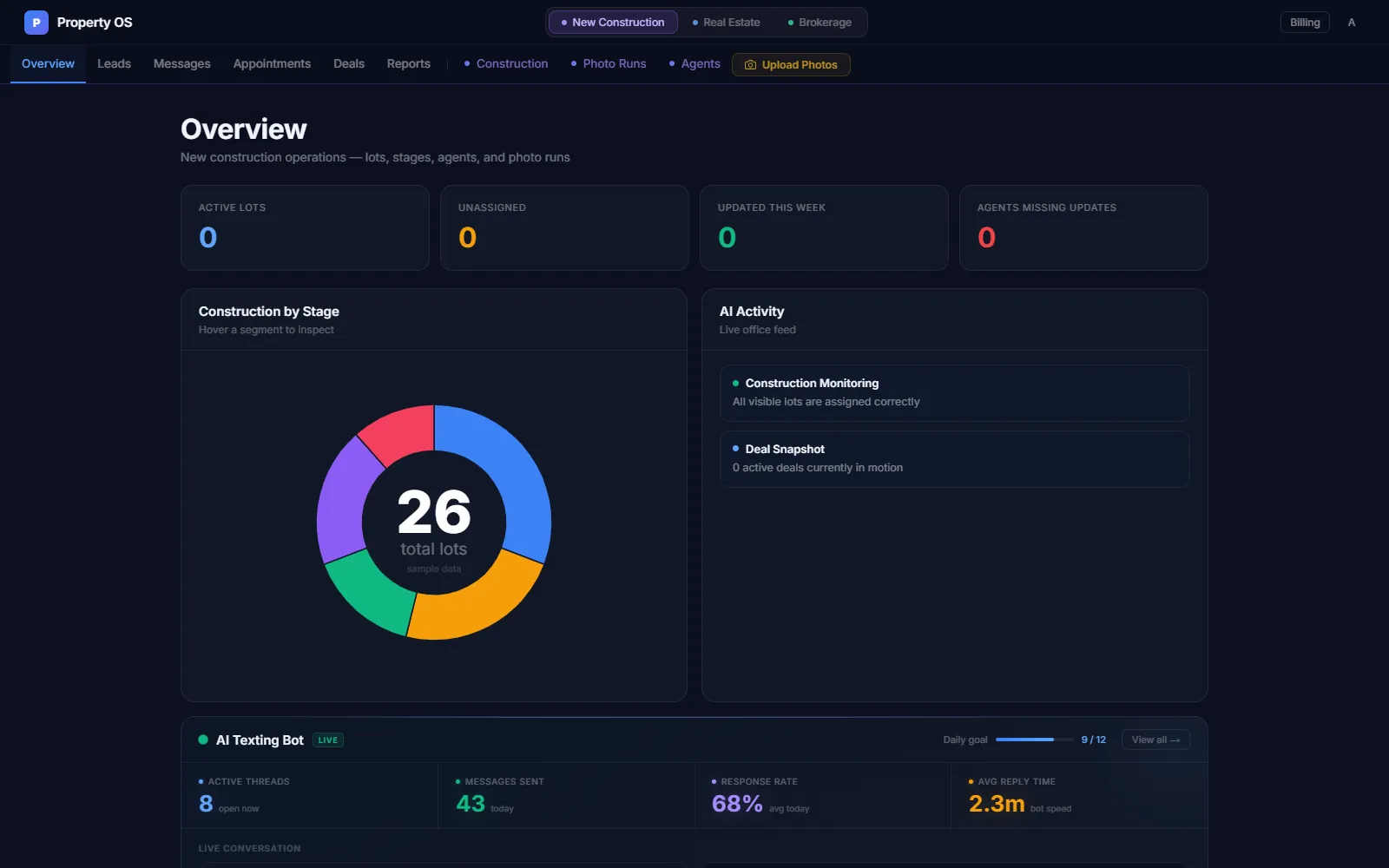
The same agents handle resale, new construction and new leads, in five different tools. Property OS puts lead intake and AI texting, construction lot tracking with photo runs, and the deal pipeline in one place, built to be sold per office. It's feature-complete as an MVP and private — no customers, no revenue, and I'll say exactly that.
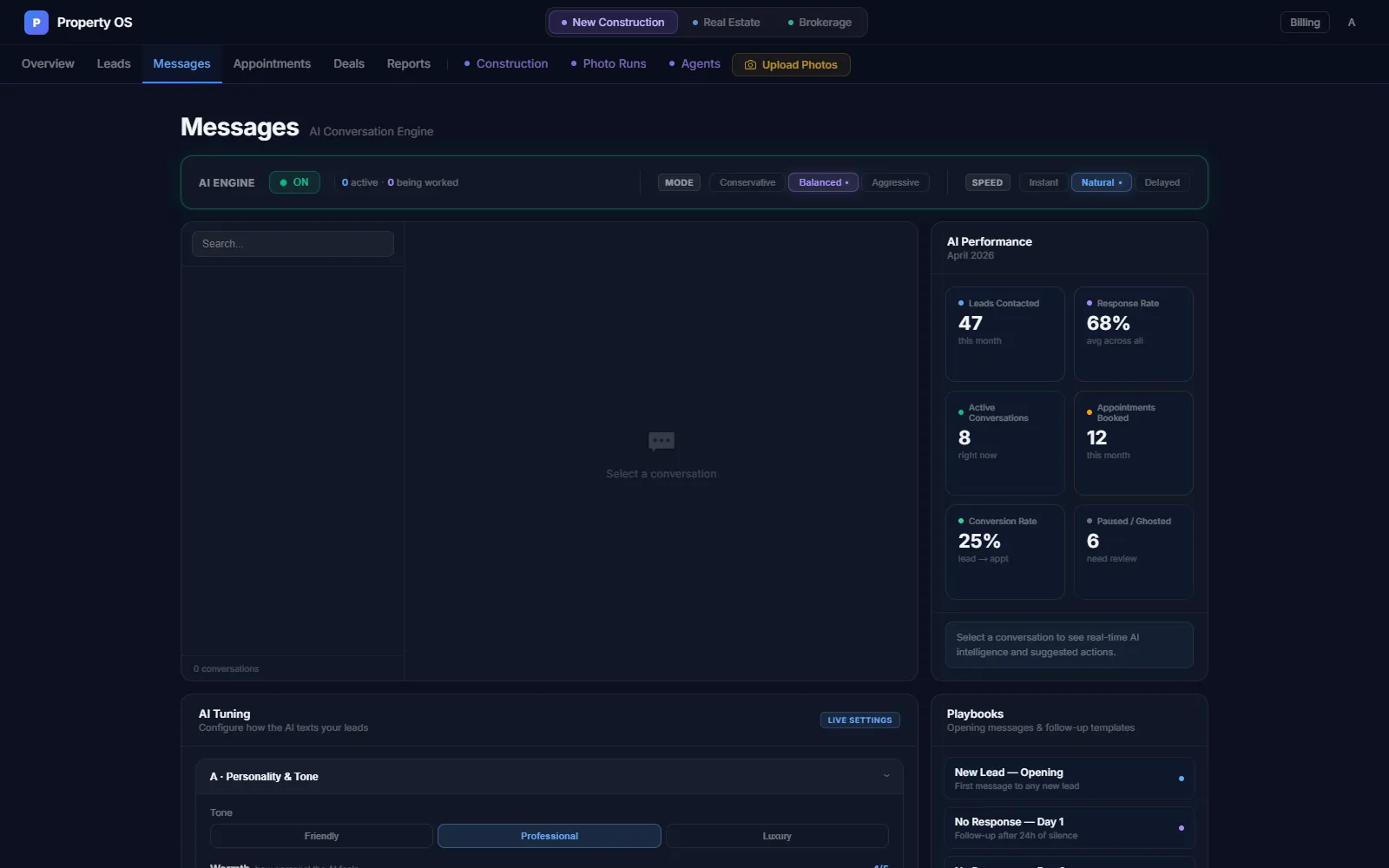
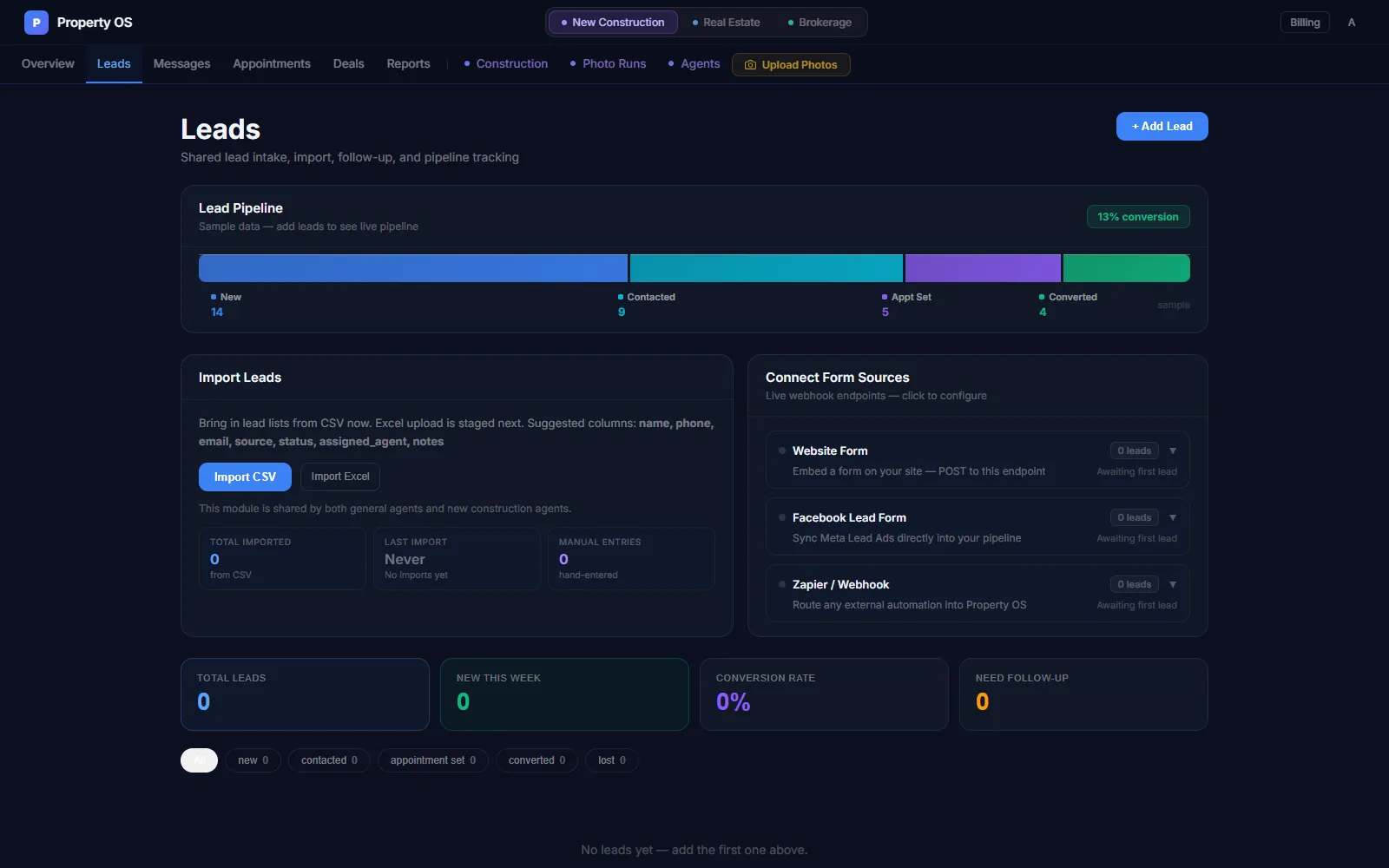
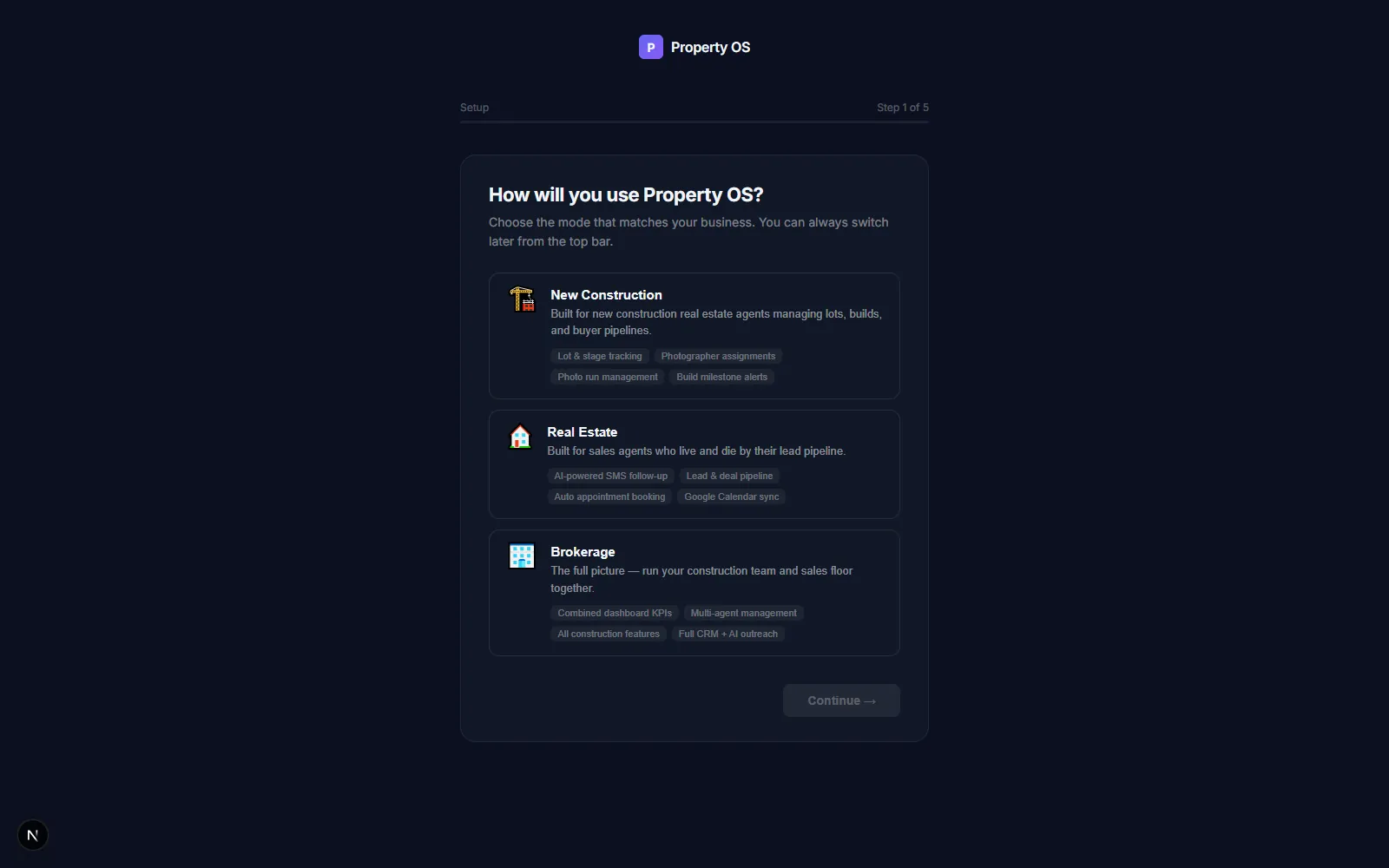
Screenshots from my dev machine with the sample data that ships in the repo.
Supabase Auth with @supabase/ssr session cookies in Next.js 16. The FastAPI side verifies the JWT on every request through a get_current_user dependency on all ten routers. The only public routes are the ones that must be: Twilio and Facebook lead webhooks and the Google OAuth callback.
An orgs table and an org_id on all 15 data tables. Middleware reads the org from the JWT into a per-request ContextVar, and every service filters reads and stamps writes with it — one office can never see another's leads.
Twilio SMS with an AI agent whose tone and hours are configurable, Google Calendar booking, Stripe Checkout + Customer Portal + webhooks (returns safe mock data when keys aren't set, so dev never touches real billing), CSV and webhook lead intake.
I wrench on cars. Some of it is code.
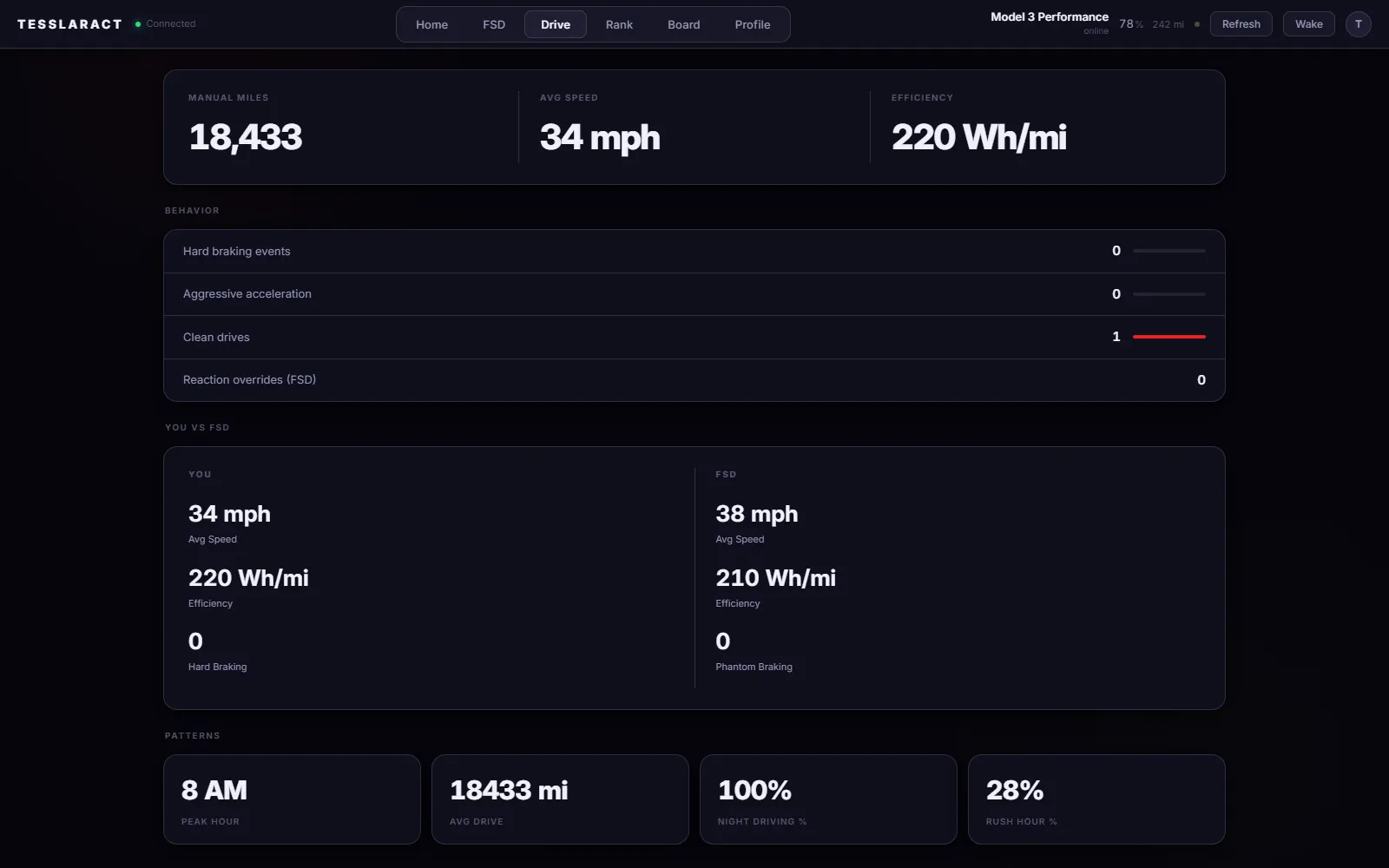
Two builds for my red Model 3 Performance: a dashboard for the car's live data through Tesla's own API, and a light strip in the dash that greets me when the car wakes up and says goodbye after it shuts off — without cutting a single wire.
TeslaDash
- Register as a Tesla Fleet API partner.
Tesla requires an app's public key at
/.well-known/appspecific/com.tesla.3p.public-key.pemon a real domain. I served it through an ngrok tunnel just for the registration. - OAuth with scopes.
Sign in on
auth.tesla.com; the callback swaps the code for an access token and a refresh token. - Tokens stay on the server.
Kept in a server-side file and refreshed before expiry; the browser never sees one. The server polls every 10 s and pushes over a WebSocket.
Dash LED: the wake-up and the goodbye
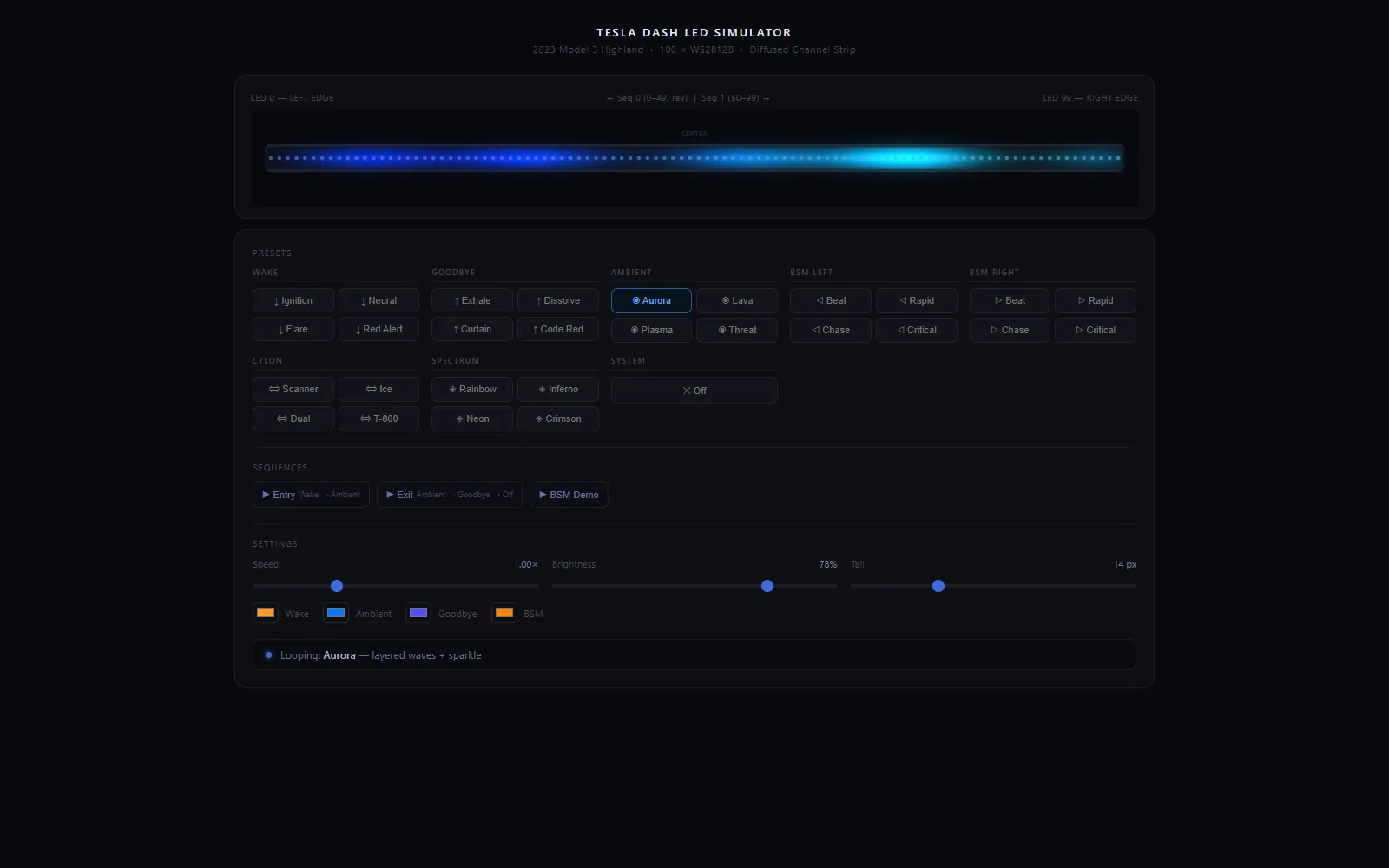
Wake → blind-spot warning (left) → goodbye, recorded from the simulator I wrote to design the animations before installing anything.
The ESP32 booting is the signal: the outlet gets power when the car wakes, so no signal wire is tapped. 90 LEDs split at the center and mirror outward.
A 10 kΩ / 3.9 kΩ divider turns 12 V into 3.37 V for the ADC. When it drops, two 10 F supercapacitors keep the ESP32 alive for the 3.8 s goodbye, then deep sleep.
The 2023 Highland has a proprietary diagnostic port and unpublished CAN IDs, so phototransistors read the factory A-pillar indicators optically instead.
Custom-compiled WLED with my own usermod for the triggers, debounce and hold times; presets for wake, goodbye, ambient and each blind-spot side.
Play with the simulator
The actual design tool, embedded. Click presets, change speed and brightness.
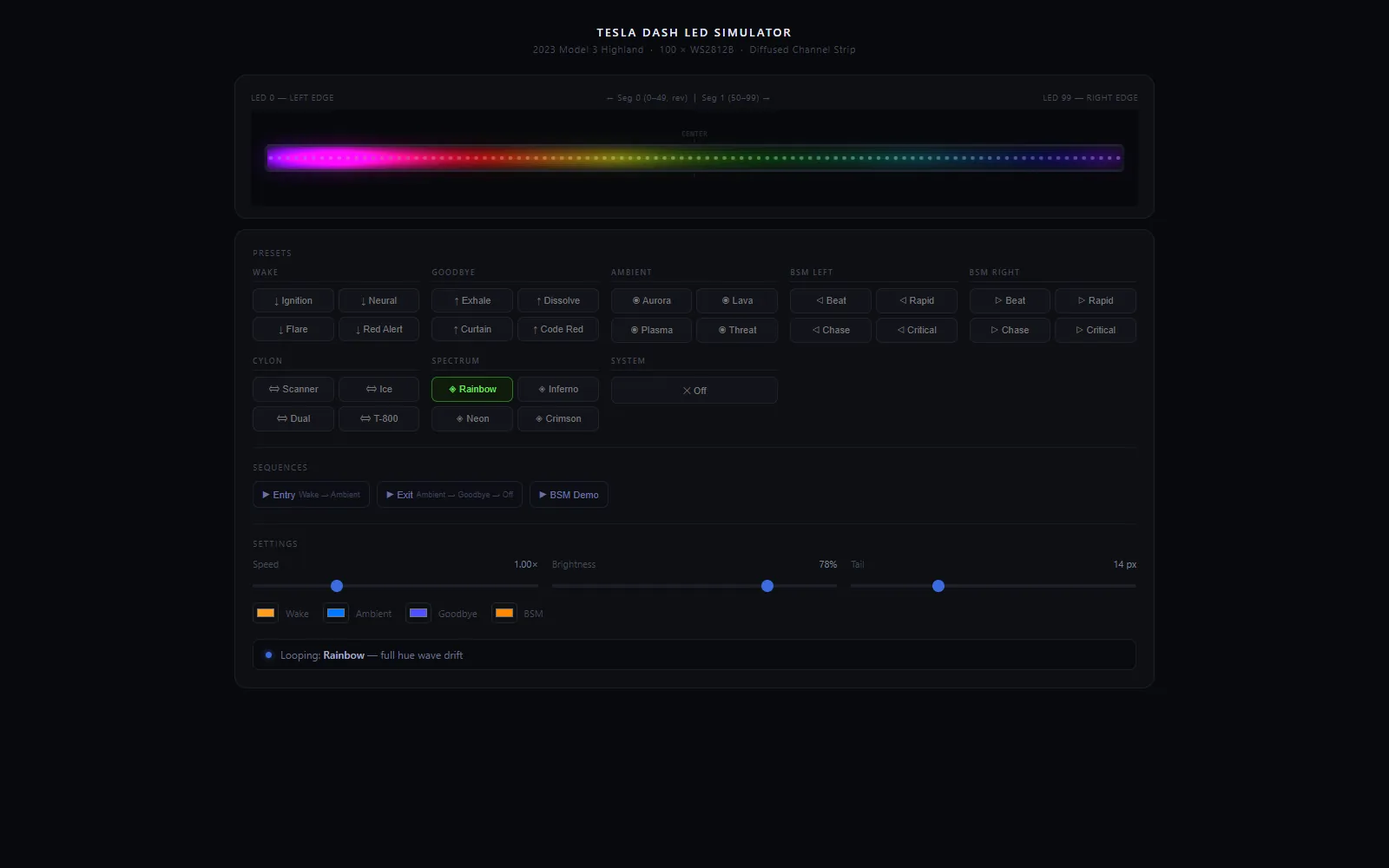 Load the LED simulator
Read the log before you change the code
My forex bot had a losing stretch. Instead of tweaking indicators, I went through the closed-trade log line by line. The strategy wasn't the main problem — the risk setup was. Three structural causes:
- Three positions, one bet. Up to three trades on the same pair in the same direction. When one was wrong, all three were.
- 6% risk each, so a single bad signal could cost 18% of the account in a day.
- The 5 PM wick. Repeated entries right before the session close, stopped out on the spike.
Designing the next house, too
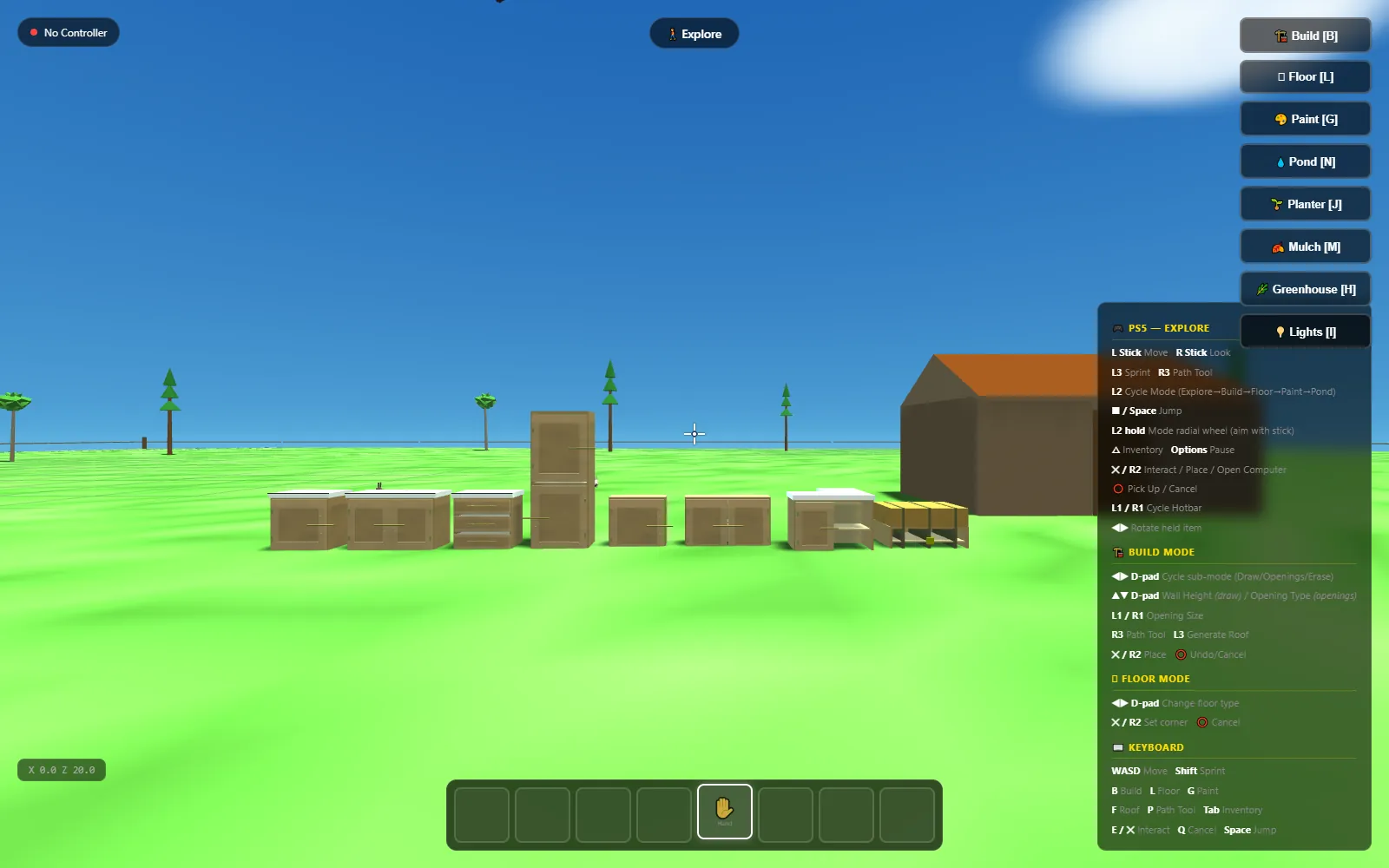
The long-term plan is land and a barndominium. I modeled it in Fusion 360 and walk through it in Unreal Engine 5 with a PS5 controller — 45 feet wide, 10-foot walls, an 8/12 gable roof. And because planning a homestead is more fun as a game, I wrote one.
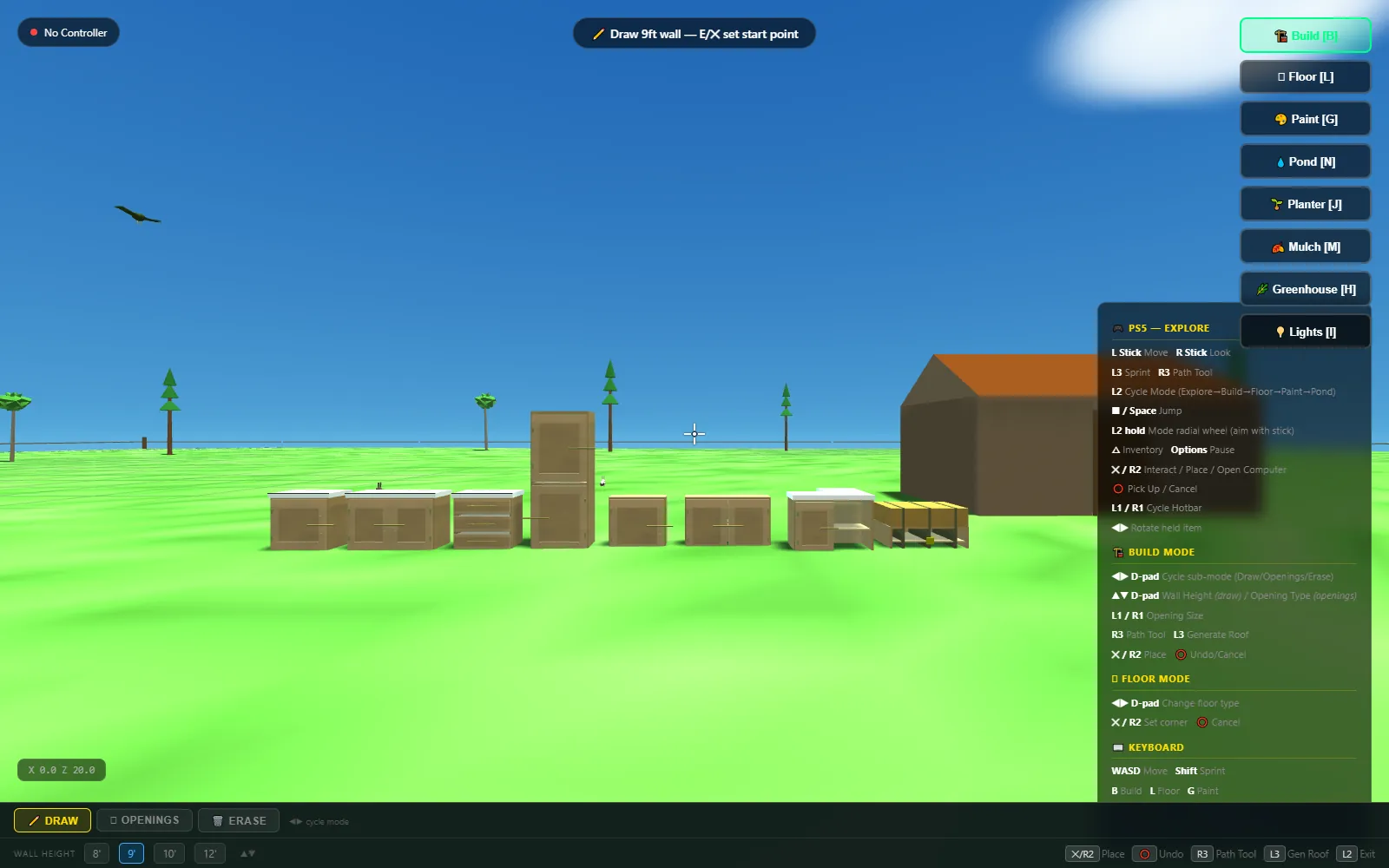 Play House Builder
Pick 1–20 acres, draw walls corner to corner, generate a roof, paint, lay floors, dig a pond, plant beds, mulch, a greenhouse and string lights. Order supplies and a drone delivers them. Animals wander the lot.
Mouse + keyboard (B build, G paint, L floor, N pond, H greenhouse, I lights, Tab inventory) or a PS5 controller with a radial mode wheel. Click the game to capture the mouse; Esc to let go.
Plain JavaScript and three.js, ~11,000 lines, no build step. One module per tool: paint gun, path system, pond, greenhouse, drone.
Sites for people I know
No frameworks, no build step, nothing to break. Push to main and it's live.
Little things, done properly
Not everything needs to be a platform. These each fixed one real problem for me or someone I know.
Charging dock, written as code
A desk dock for six USB ports and two device cradles, generated by a Python script against the Fusion 360 API: every pocket, wall and port cutout comes from measured dimensions, so changing a device means editing a number and re-running. A second script adds smooth topographic hills to the top face. Printed in PLA. This is the actual print file — spin it.
FL Land Hunter
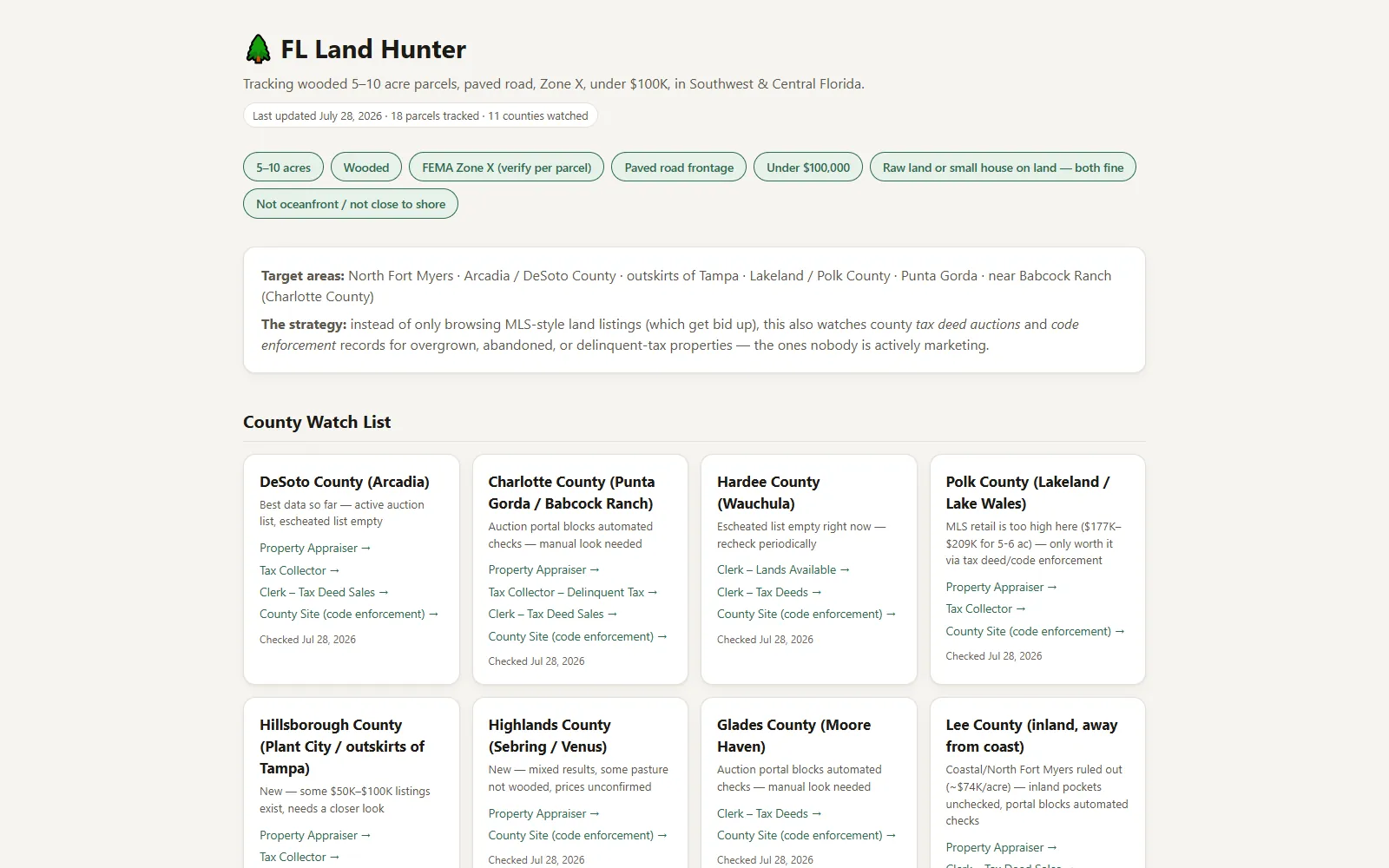
Tracks our search for 5–10 wooded acres in Southwest/Central Florida: flood Zone X, paved road frontage, under $100k. Instead of only watching listings, it links straight to each county's tax-deed auctions and code-enforcement records — the properties nobody's marketing. One HTML file; double-click to open; nothing installed.
Dashcam recovery
A neighbor's dashcam recorded a crash, but every file on the card “was corrupt.” Two separate causes: the recording was cut off by the impact, so the MP4's data-size field was literally 0 and players never found the index at the end; and the video was HEVC, which this Windows build can't decode. I patched the size field in copies, carved the newest footage by resyncing on HEVC frame boundaries, and transcoded to H.264.
The trap: the camera overwrites only the start of an old file, so the part that repairs cleanly is often the wrong day. I verified every clip against its internal timestamp and the time burned into the pixels — and flagged a date mismatch before it went to the insurer.
Rules I actually follow
These come straight from the notes I keep at the top of every project.
It has to work the first time.
Plan it fully, explain it, get a yes, then build. No trial-and-error on a live system that a family depends on.
Test it where it lives.
On the real TV, in the real car browser, on the real phone in the field. Screenshots and frame rates, not “it worked on my machine.”
Never lock yourself out.
Back up before editing. Roll back automatically unless a change is confirmed. Know how to undo it before doing it.
Free first.
Most of what's on this page costs nothing to run: the Pi I already had, GitHub Pages, Google Apps Script, public data feeds.
Measure, then fix.
The bot's losses, the camera's 3.6-second lag, the missed liquidations — each was found by checking ground truth, not by guessing.
Write it so a busy person gets it.
Plain words, short sentences, outcome first. The house says “Someone's at the front door,” not “Person detected, zone 3.”
Hi, I'm Andrew.
I started out with a soldering iron on aircraft lighting, ran my own automotive-electronics business for six years, and today I'm the last quality check on Teslas before they're handed to their owners. Fixing things and explaining them clearly to the person in front of me is the job I've always had. Software is how I do more of it.
I live in Southwest Florida with Jenna. I like cars more than is probably healthy.
- 2025 — nowDelivery Vehicle Prep Lead Tesla
The final quality gate before customer delivery: inspections, software verification, diagnostics, ADAS calibration support. Wrote the location's prep SOP and trained the team; site quality went from about 80% to a steady 95–100%.
- 2020 — 2025Technician & customer operations Kawi Performance
Diagnosed complex mechanical and electrical systems, explained findings in plain language, and ran several customer projects at once from first call to final test.
- 2014 — 2020Founder & owner LED ATT
Designed, built and installed custom automotive lighting. Ran the whole business solo — up to 100 customer conversations a day, Stripe operations, website, inventory — and grew an audience of 32,000+.
- 2010 — 2014Electronics & maintenance technician Aircraft Lighting International
FAA-compliant electronics repair, soldering, testing and documentation, where mistakes carry real consequences. Prototypes from schematics, 3D-printed parts.
- TrainingCertified IPC Specialist, J-STD-001 Soldering
Electrical engineering coursework at Farmingdale State College.